
Model Audit
In **AI Management > Custom Large Models > Model Audit Logs**, you can query individual model invocation records for the current organization and verify the invocation status, model, duration, and usage.
In AI Management > Custom Large Models > Model Audit Logs, you can query individual model invocation records for the current organization and verify the invocation status, model, duration, and usage.
Before you begin
Log in to SuperMagic and open the organization administration console for the organization you need to query.
Confirm that the correct organization is selected. Model audit logs only display data for the current organization.
Confirm that your account has the required AI Management and model audit viewing permissions. Page visibility depends on the current organization configuration and account permissions.
If possible, prepare the invocation time, model name or identifier, invocation type, invocation status, or the related Magic Topic ID.
Logs may contain user information, organization codes, access credentials, usage, and invocation details. Only authorized administrators should view them. When copying logs for internal troubleshooting, retain only the necessary fields and hide sensitive information.
Open model audit logs
In the top navigation of the administration console, click AI Management.
Expand Custom Large Models in the left navigation.
Click Model Audit Logs.
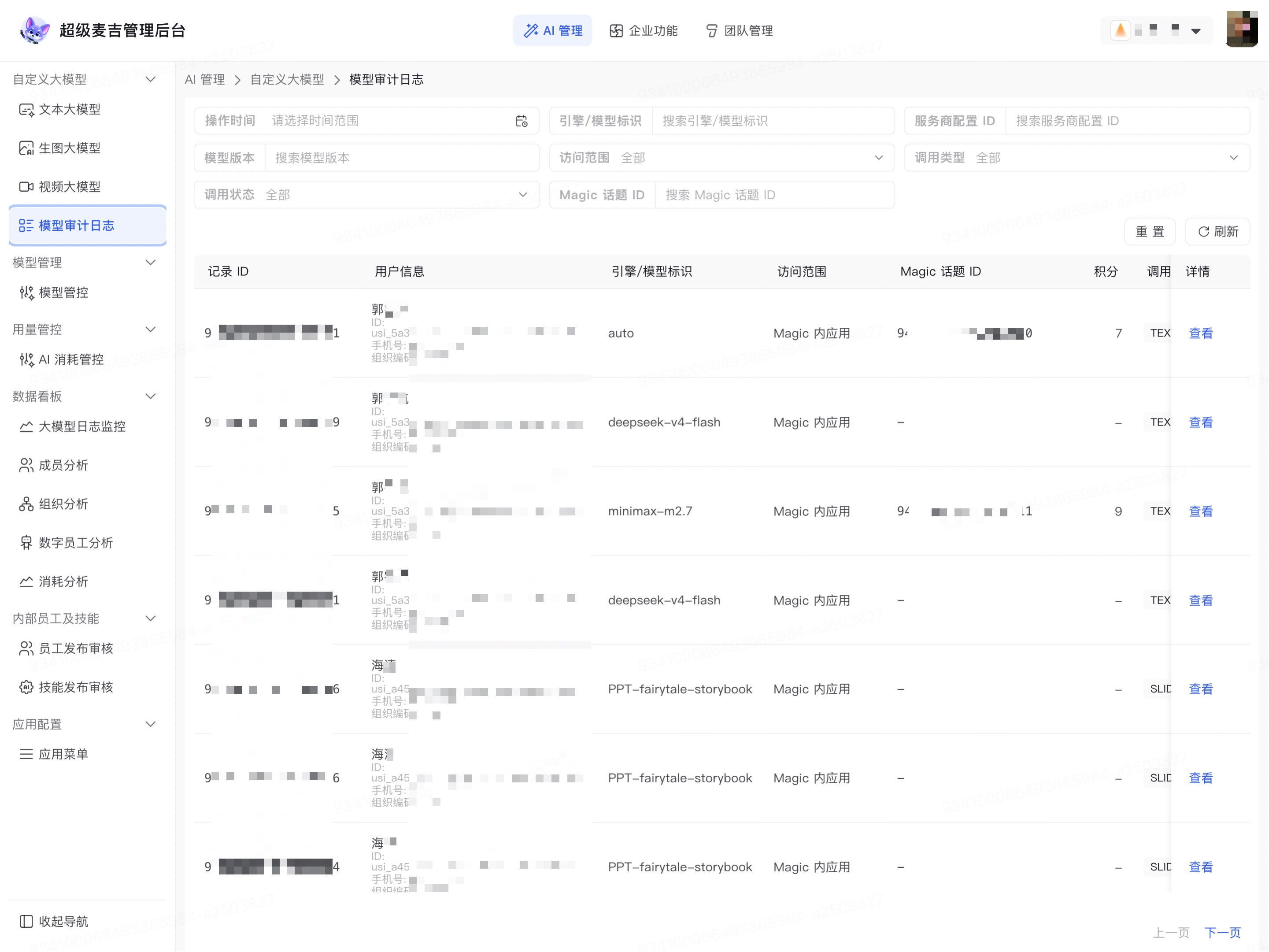
The page displays model invocation records for the current organization, filter criteria, and the Reset and Refresh actions.
Common information in the list includes:
Information | Purpose |
|---|---|
Record ID, User information | Confirm the specific invocation record and the user who initiated the invocation. |
Engine/Model Identifier | Confirm the model invoked by the request. |
Access Scope, Magic Topic ID | Confirm the invocation source and the related topic or task context. |
Credits, Invocation Type, Invocation Status | View the consumption, type, and whether the invocation succeeded. |
Operation Time, Time to First Response, Total Duration | Confirm when the invocation occurred and assess response performance. |
Usage, Provider Name, Model Version | View the usage for the invocation and the actual service configuration. |
Details | Open the complete audit information for the current record. |
When the list is wide, scroll the table horizontally to view fields such as duration, usage, provider, model version, and details on the right.
Filter model invocation records
Model audit logs support filtering by operation time, model, service provider, access scope, invocation type, invocation status, and Magic Topic ID, among other criteria.
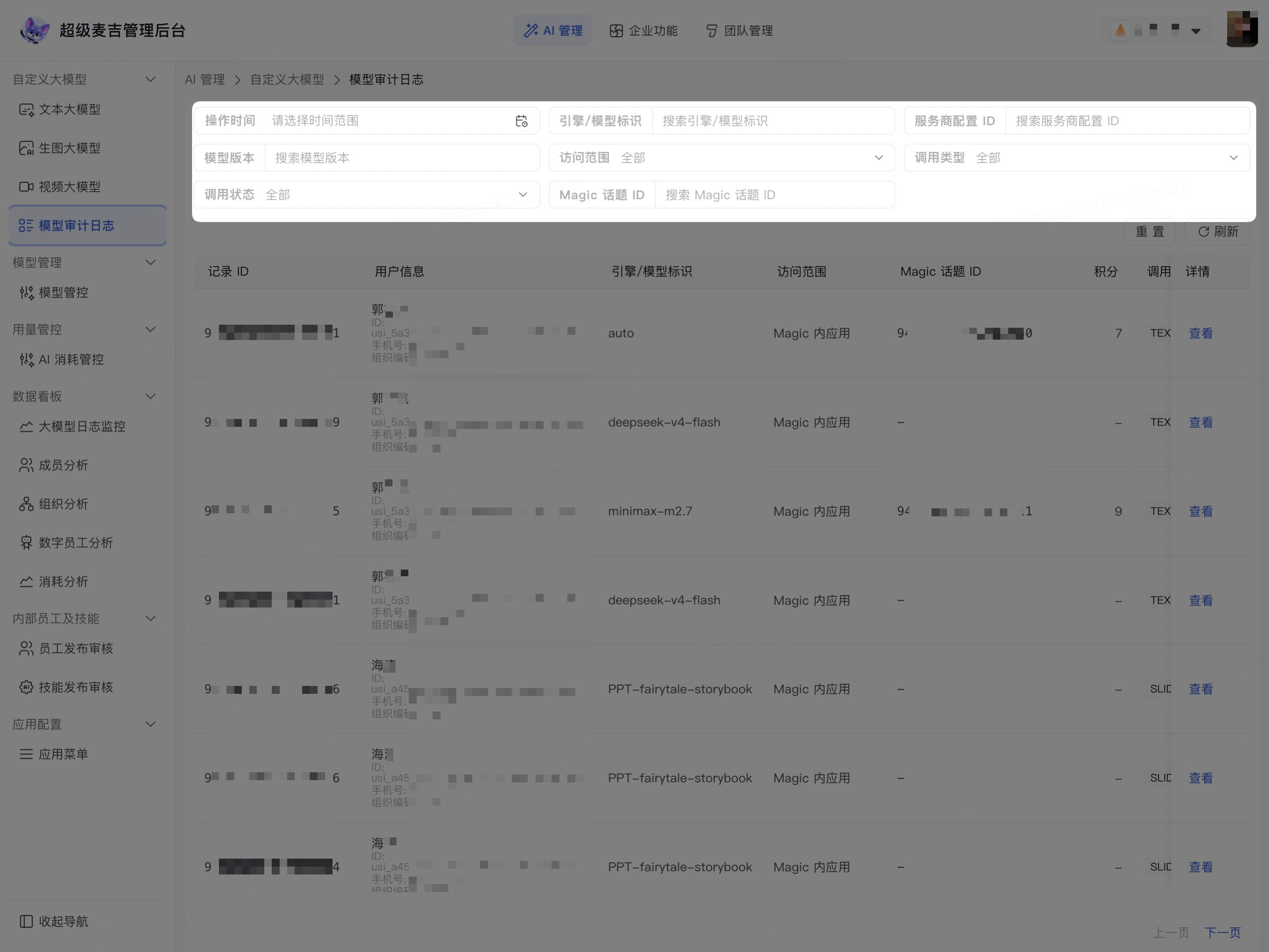
Click Operation Time.
Select the time range you want to query.
Enter or select known criteria in Engine/Model Identifier, Provider Configuration ID, or Model Version.
Select the scope you want to verify in Access Scope, Invocation Type, or Invocation Status.
To locate a specific topic, enter the corresponding ID in Magic Topic ID.
View the filtered list.
The list displays only invocation records that match the current criteria. When troubleshooting failed invocations, we recommend first limiting the operation time, then selecting Invocation Status, and finally adding model or invocation type criteria.
To clear existing criteria, click Reset. To retrieve the latest records under the current criteria, click Refresh.
View details of an individual invocation
Find the record you need to troubleshoot in the audit list.
Click View on the right side of the row.
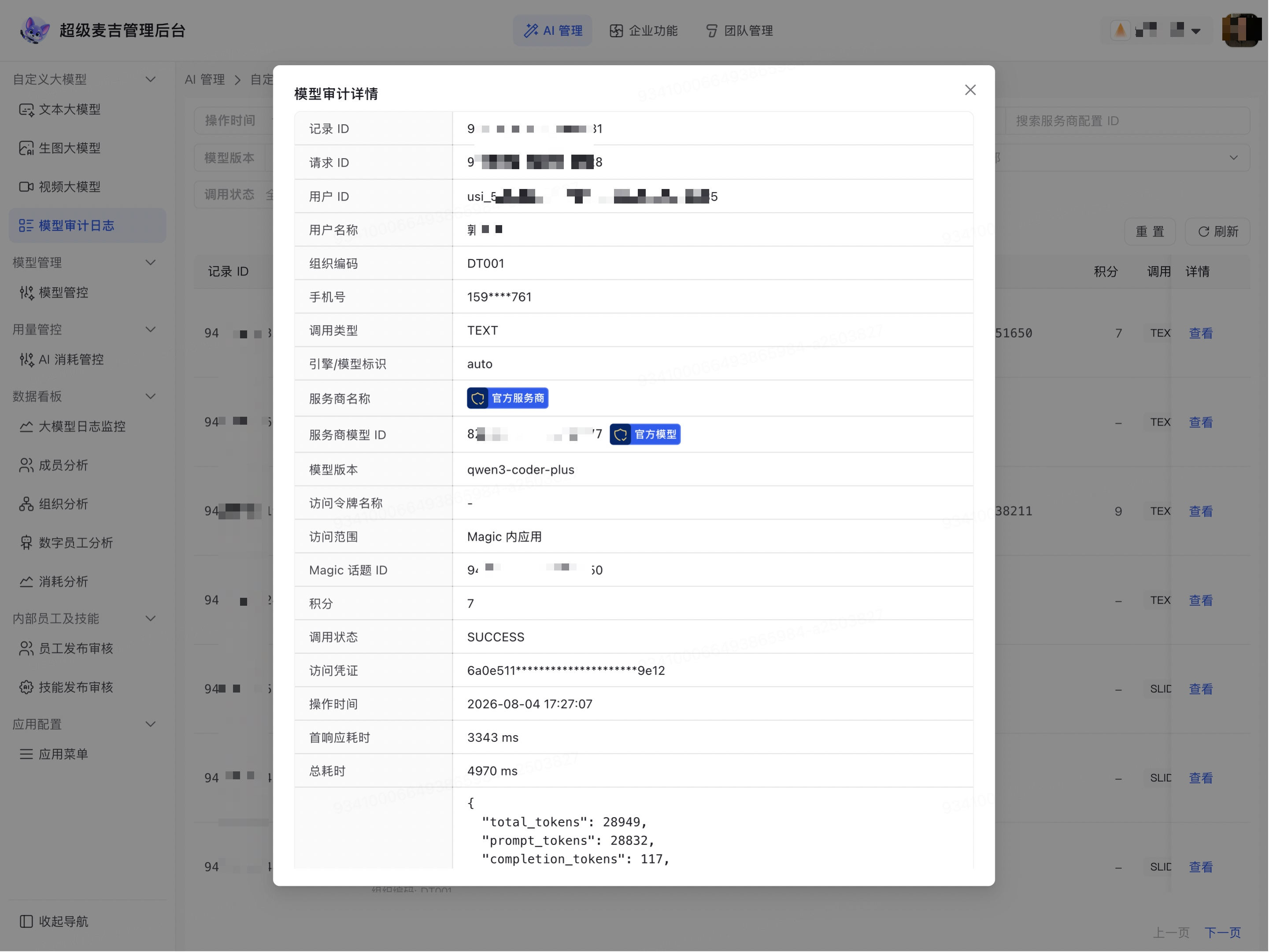
In Model Audit Details, verify the record ID, request ID, user, invocation type, engine/model identifier, provider name, model version, access scope, Magic Topic ID, credits, and invocation status.
Continue reviewing the access credentials, operation time, time to first response, total duration, usage, and expanded details.
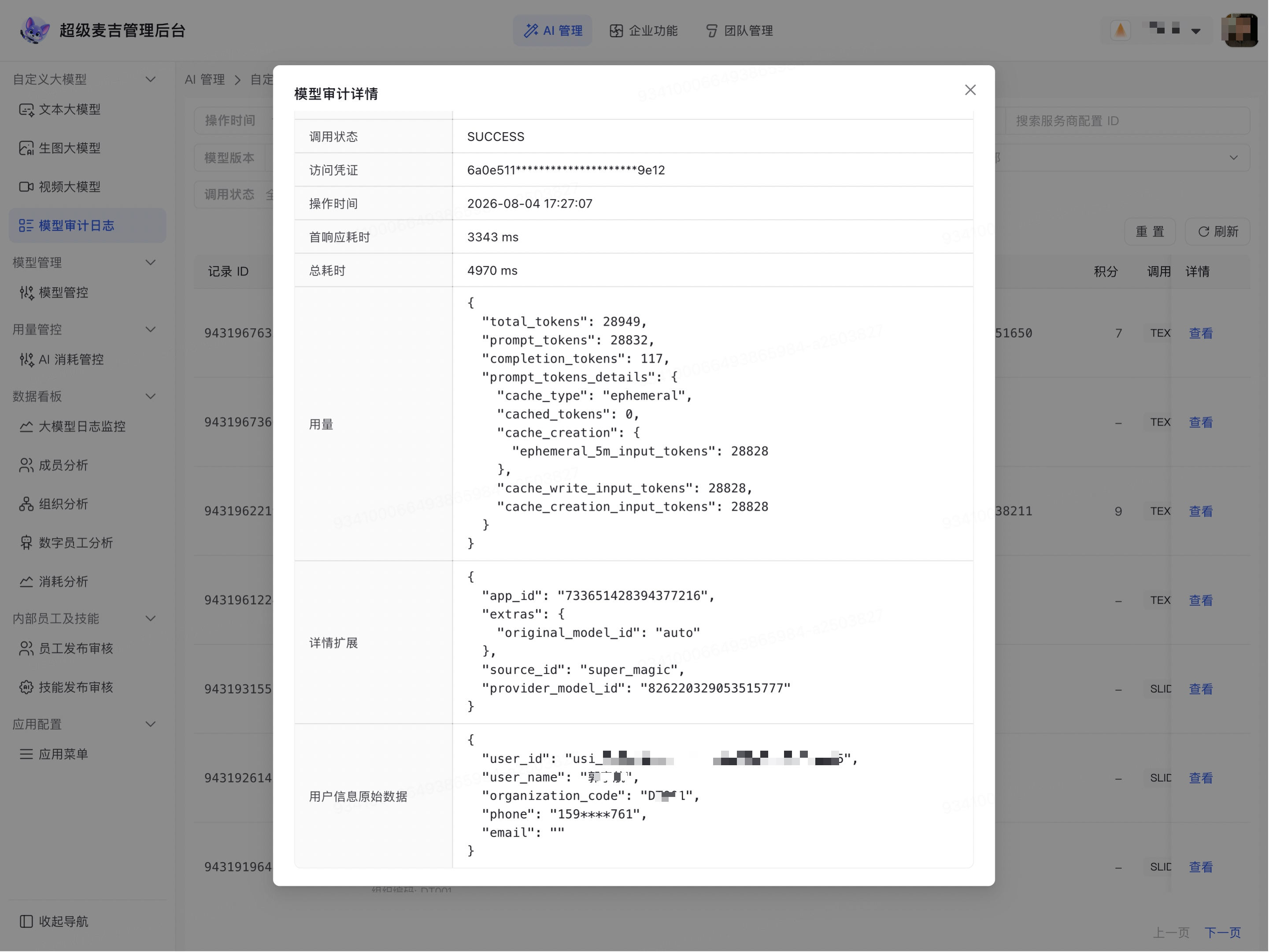
You can use this information to confirm whether the invocation succeeded, the model actually used, the invocation source, response duration, and Token usage. When an invocation fails, continue troubleshooting the model configuration, service connection, or invocation input based on the record details.
User information, access credentials, and invocation data in the log details are sensitive information. Do not send the complete details directly to external parties. If you need to submit them to a service provider for troubleshooting, first hide personal information, organization codes, access credentials, and business content.