
Configure Organization Information
In **Enterprise Information > Basic Information** in the admin console, you can maintain the current organization's logo, name, industry, size, description, and contact information.
In Enterprise Information > Basic Information in the admin console, you can maintain the current organization's logo, name, industry, size, description, and contact information.
Before you start
Sign in to SuperMagic and open the admin console.
Switch to the organization you need to maintain in the upper-right corner.
Confirm that your account has administrative permissions for the organization.
Prepare the organization logo, as well as the organization details and contact information you need to enter.
Open the Enterprise Information page
In the upper-right corner, confirm that you have switched to the organization you need to maintain.
At the top of the admin console, click Enterprise Features.
Expand Enterprise Information in the left navigation.
Click Basic Information.
After you open the page, it displays two sections: Basic Information and Contact Information. Fields marked with a red asterisk are required.
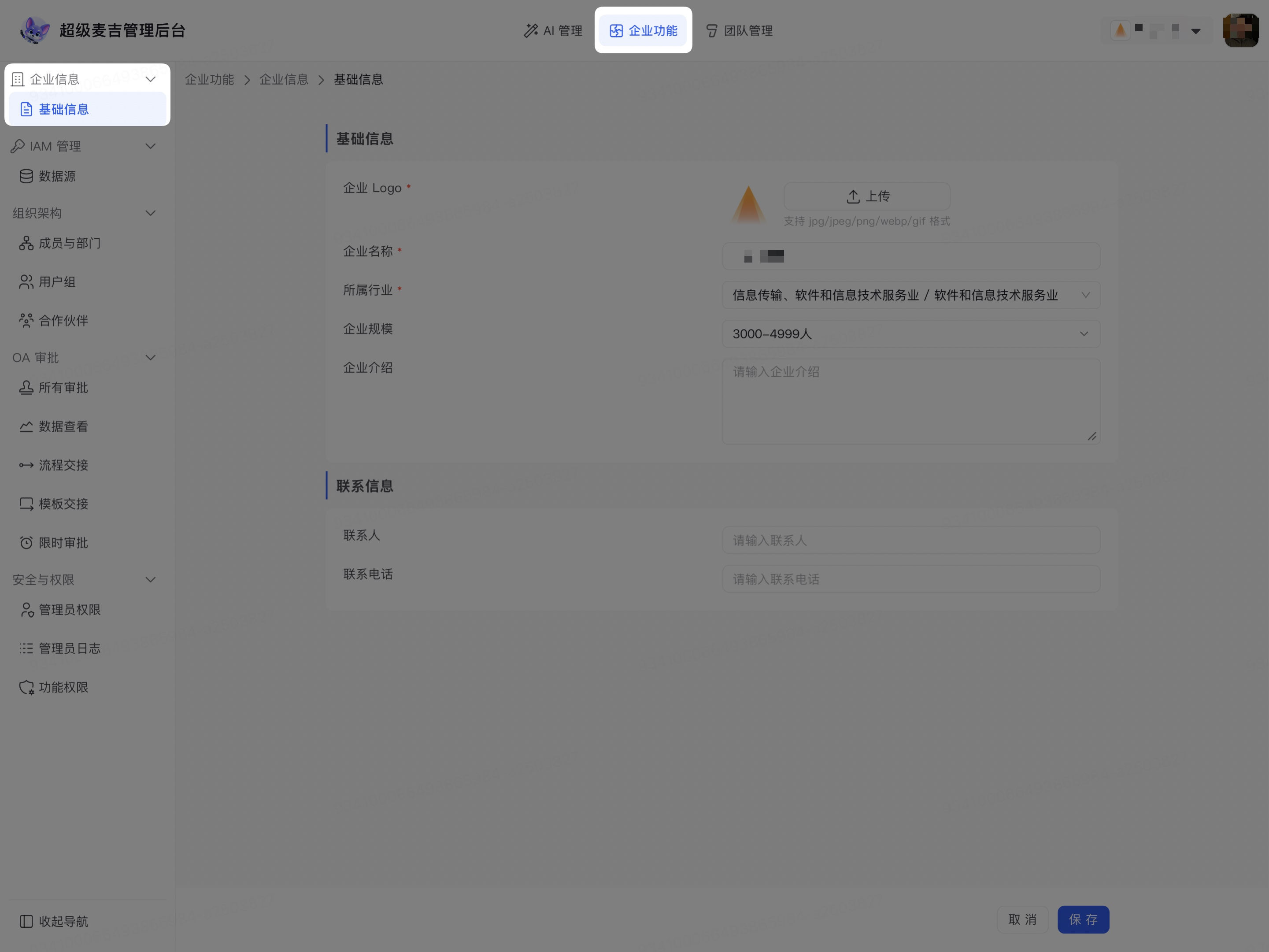
Enter basic organization information
To the right of Organization Logo, click Upload.
Select the organization logo image you want to use.
Enter the organization's official name in Organization Name.
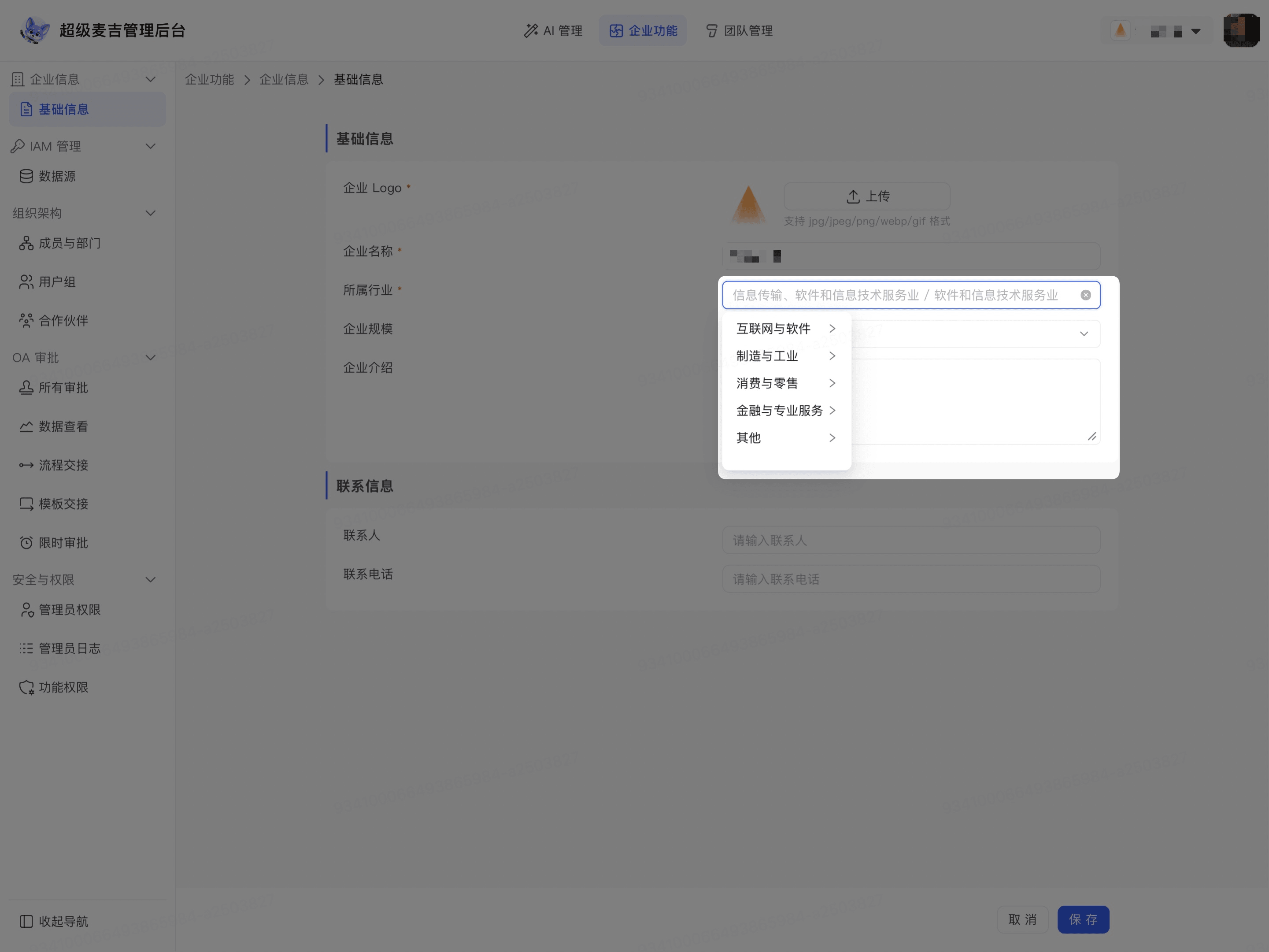
Click Industry.
Select an industry category.
Select the corresponding subcategory.
If no suitable industry classification is available, select Other.
Click Organization Size.
Select the range that matches the current number of employees.
Enter a brief description of the organization in Organization Description.
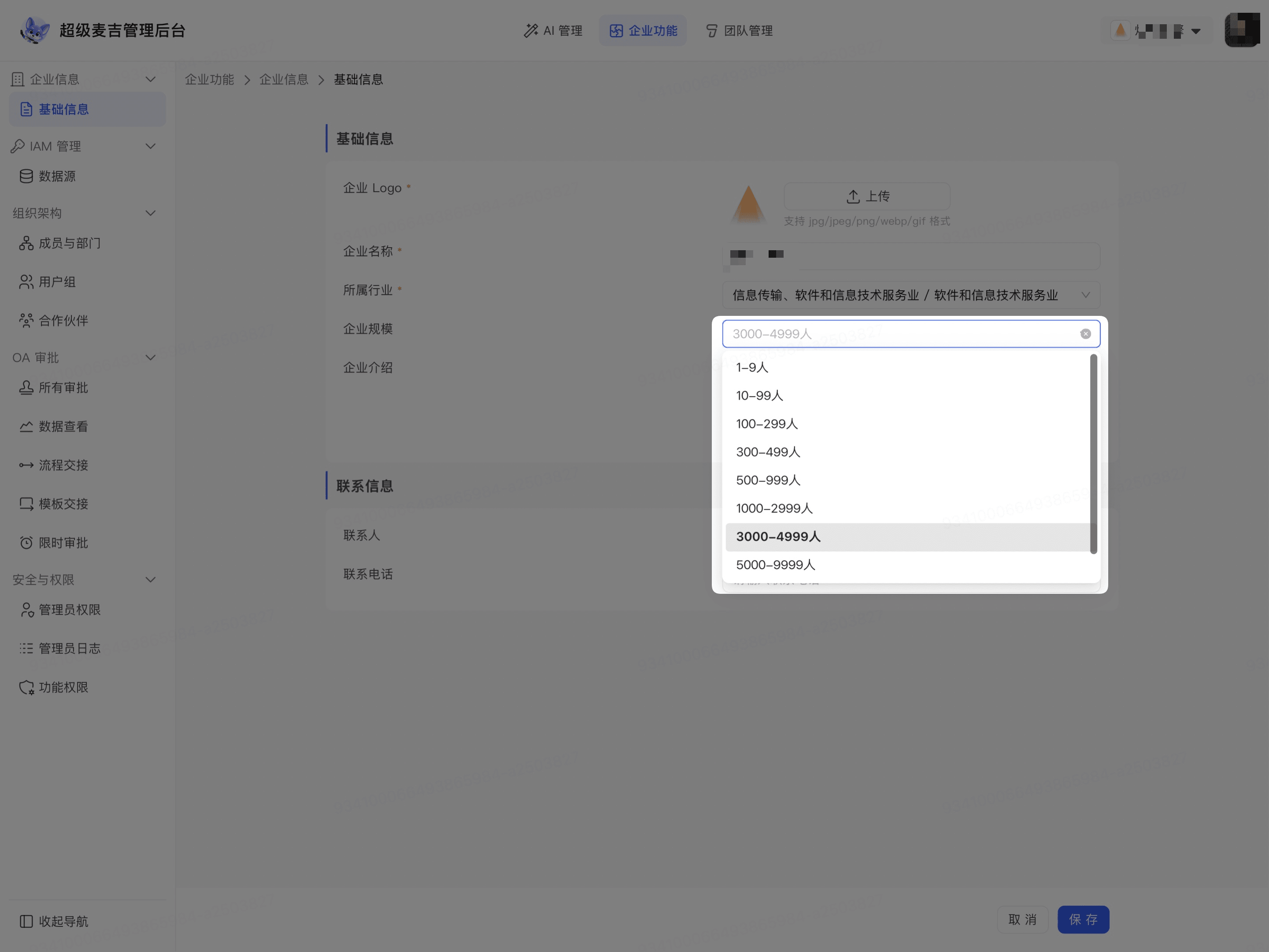
The organization logo, organization name, and industry are required according to the page requirements. You can add the organization size and description based on the actual situation.
Save organization information
Enter the name of the person responsible for maintaining organization information or handling business inquiries in Contact.
Enter an available phone number in Contact Phone.
Check that the organization name, logo, industry, and other information are correct.
Click Save in the lower-right corner of the page.
After you save, the current organization's information is updated. When you open the current organization's Basic Information page again, you can view and continue maintaining this information. The information for other organizations is not affected.
Before entering the organization name, contact name, and contact phone number, confirm that the information is accurate and avoid entering personal information unrelated to the current organization.