
Connect SuperClaw to WeChat
Initiate a WeChat connection in the **Conversation Workspace** of SuperClaw, complete **QR code login**, and verify the **connection result** through two-way message exchange.
Initiate a WeChat connection in the Conversation Workspace of SuperClaw, complete QR code login, and verify the connection result through two-way message exchange.
Initiate a WeChat Connection
Open the Conversation Workspace of the target SuperClaw.
Enter a request to connect to WeChat in the input box.
Wait for the page to generate a QR code.
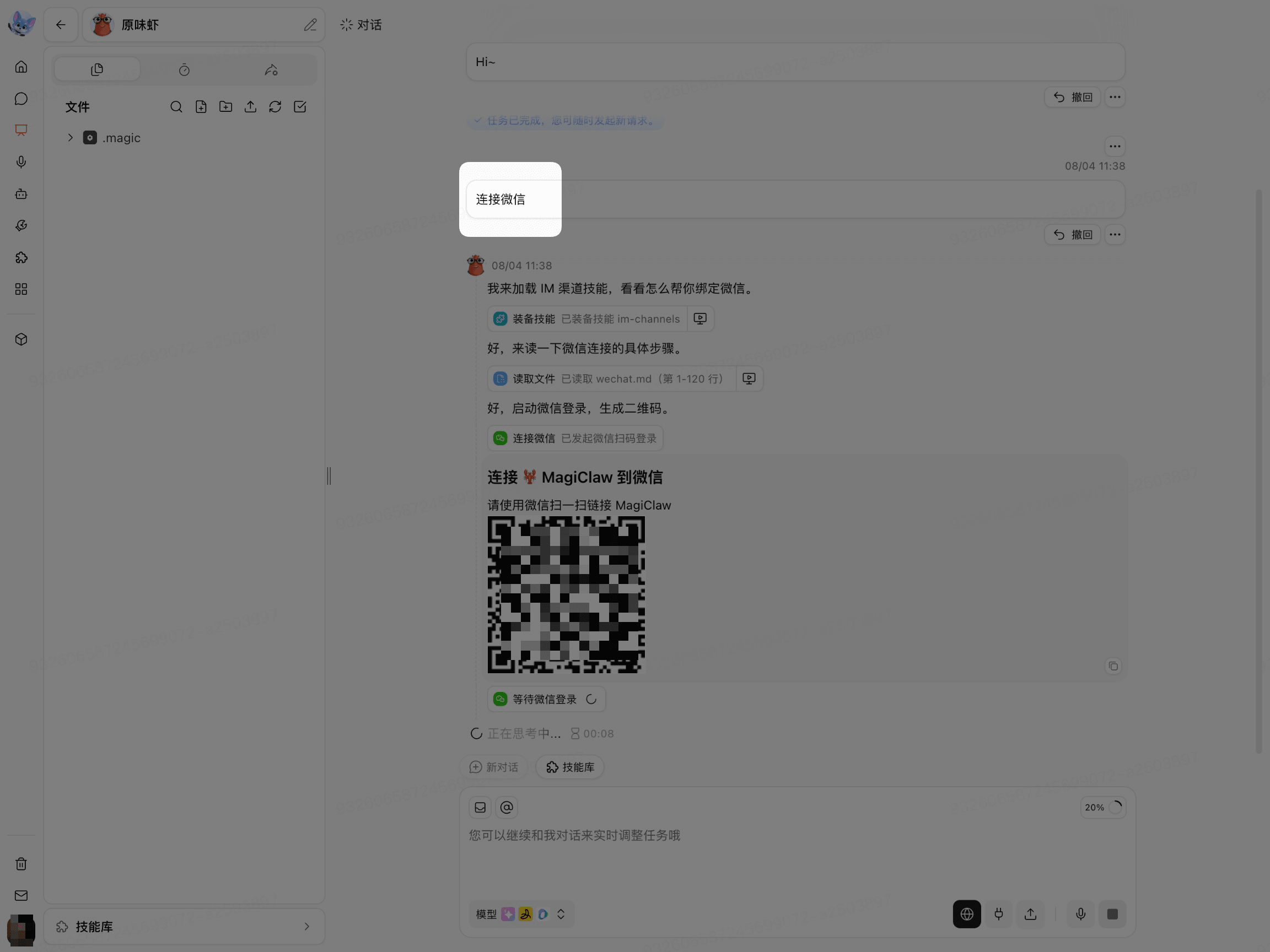
After the QR code appears, use WeChat to scan the QR code generated on the current page.
Complete WeChat Login
Use WeChat to scan the QR code on the current page.
Complete the login confirmation in WeChat.
Return to the Conversation Workspace of SuperClaw.
Wait for the page to indicate that the login steps are complete.
The QR code is time-sensitive. After it expires, initiate the WeChat connection again and scan the new QR code.
Verify the WeChat Connection
Send a test message to SuperClaw in WeChat.
Check whether SuperClaw received the test message.
Check whether WeChat received a reply from SuperClaw.
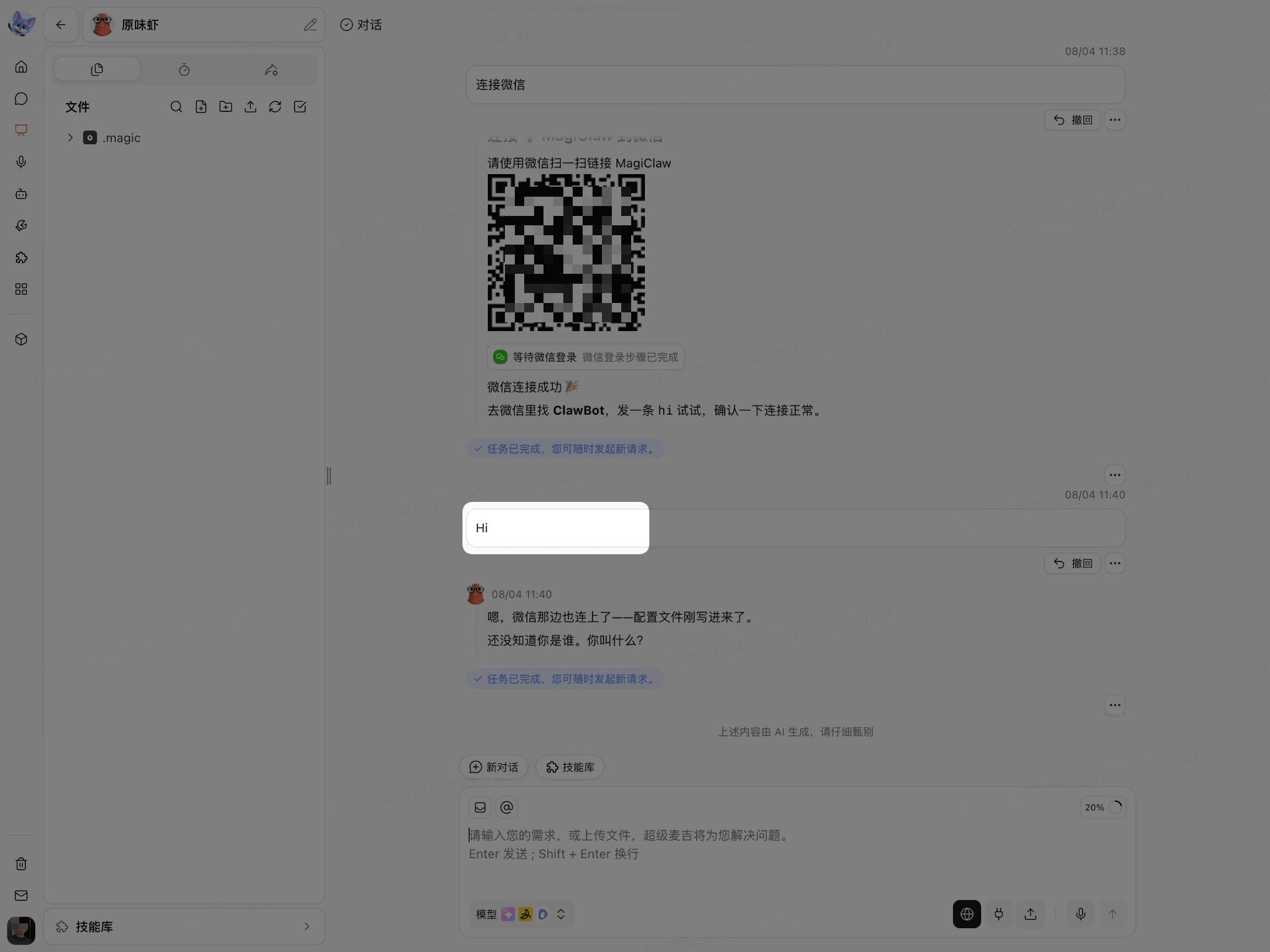
Sending a message in WeChat and receiving a reply indicates that the connection is ready to use.

Troubleshoot Connection Issues
If WeChat does not receive a reply, check the following in order:
Check whether the QR code has expired.
Check whether WeChat completed the login confirmation.
Check whether SuperClaw is still running.
Check whether the current account and enterprise environment allow connections to WeChat.
If the page does not show a connection entry point or displays a permission notice, contact your enterprise administrator to confirm the feature configuration.