
Get to Know SuperClaw Quickly
SuperClaw is a dedicated AI assistant that can continuously handle tasks. To use it, first select an instance from the SuperClaw list, then enter the corresponding conversation workspace.
SuperClaw is a dedicated AI assistant that can continuously handle tasks. To use it, first select an instance from the SuperClaw list, then enter the corresponding conversation workspace.
What Is SuperClaw
SuperClaw is used to continuously handle tasks that require files, tools, or multiturn conversations. Each instance has its own name, running status, and conversation content.
SuperClaw is suitable for the following tasks:
Read reference materials and generate files.
Continuously perform a task and adjust the results based on feedback.
View the task process and generated files in the conversation workspace.
Where to Enter
Find SuperClaw in the left navigation bar and click it to open the SuperClaw feature page.
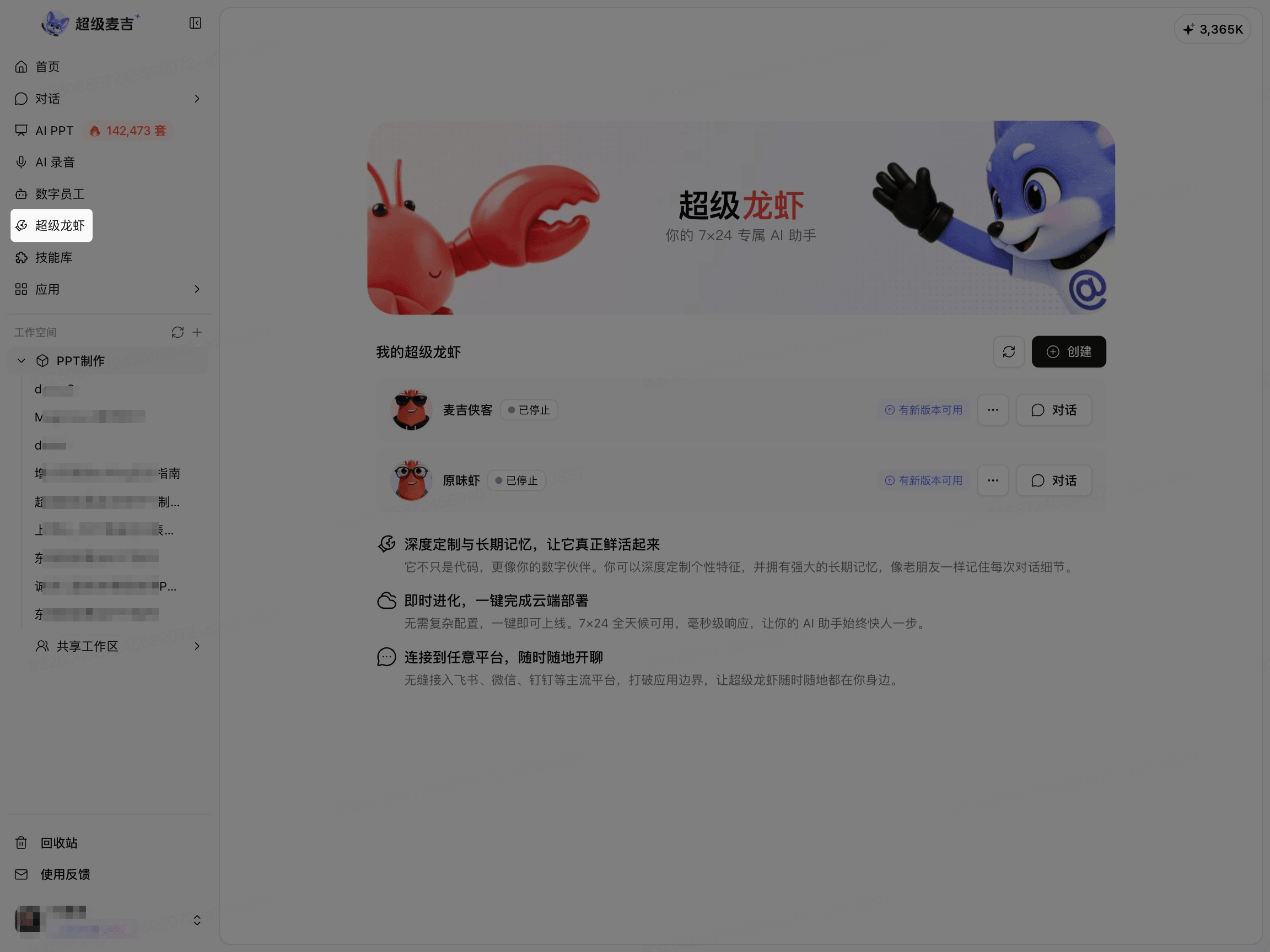
When the page displays My SuperClaw, the creation entry, and the existing instance list, you have entered the SuperClaw feature.
My SuperClaw and the Conversation Workspace
My SuperClaw is used to view and manage the instances available to the current account. The instance list usually displays the name, running status, and conversation entry.
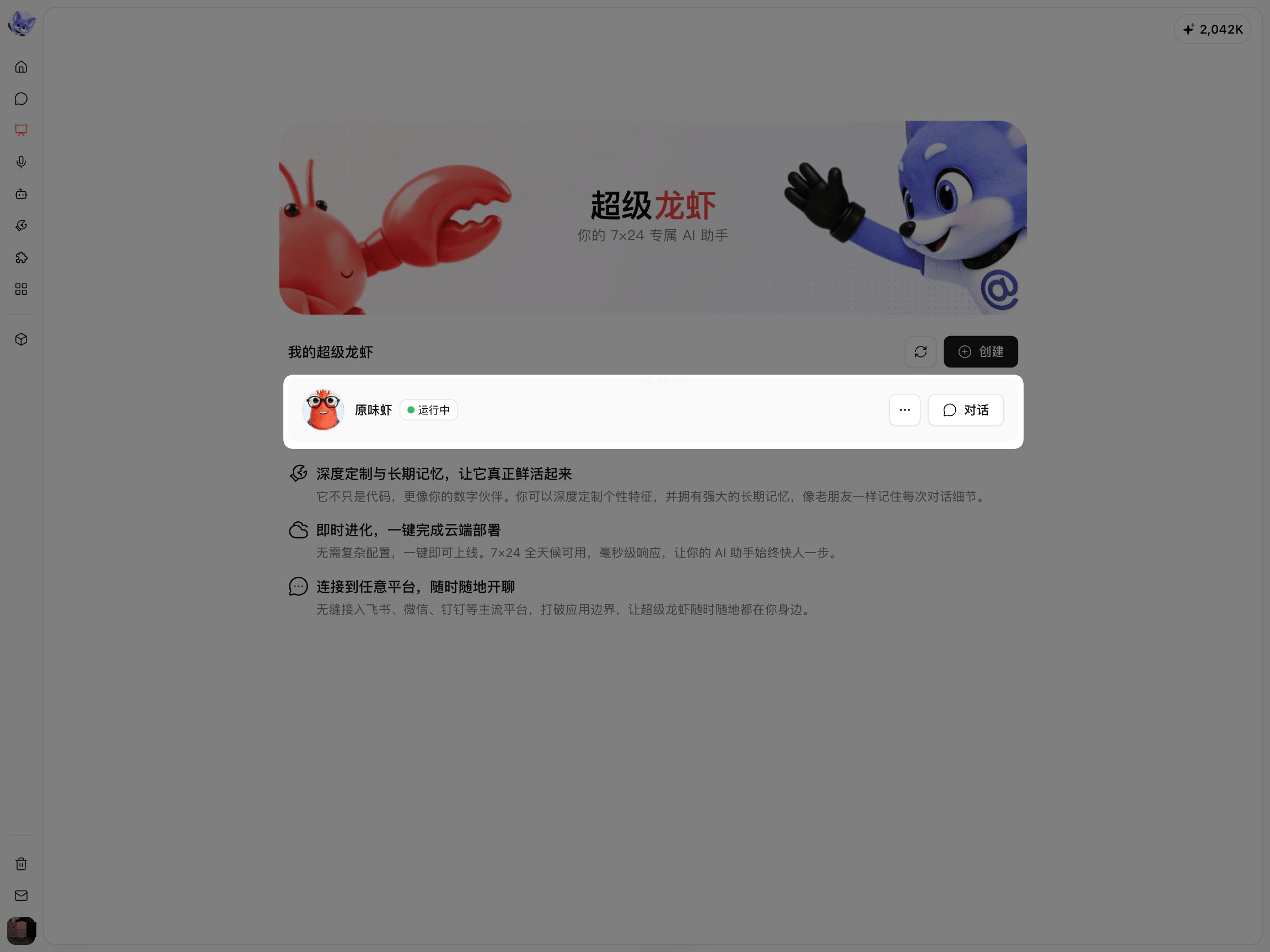
Click Conversation for an instance to enter that instance's conversation workspace.
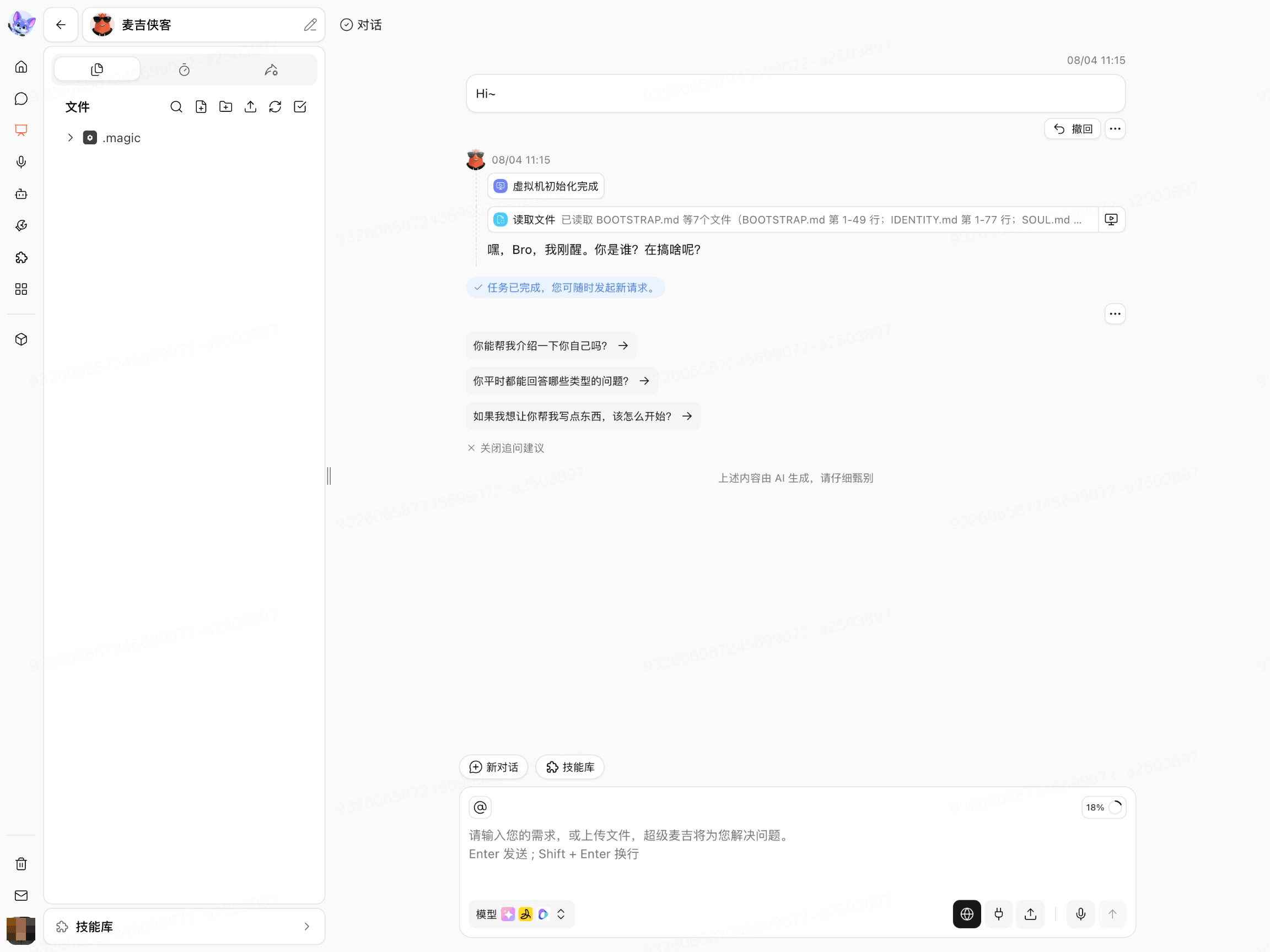
The conversation workspace is used to submit tasks, view the execution process, and view generated files. The first time you enter or restart an instance, you need to wait for runtime environment initialization to complete.
How to Choose an Entry Point
What you want to do | Where to go |
|---|---|
View, create, or manage instances | My SuperClaw |
Submit a task to an instance | The instance's conversation workspace |
View files generated by a task | The file section in the conversation workspace |
Whether an instance can be created, run, or connected to external platforms depends on the current enterprise configuration and account permissions. If the corresponding entry is not available on the page, contact your enterprise administrator for confirmation.