
Import Audio for Summarization
Import audio and wait for the system to generate a transcription and summary.
Updated: 2026-09-02View LLM Markdown
Import audio and wait for the system to generate a transcription and summary.
Supported Audio Formats
The following formats are supported: raw, wav, mp3, ogg, webm, and m4a.
A single file cannot exceed 500 MB.
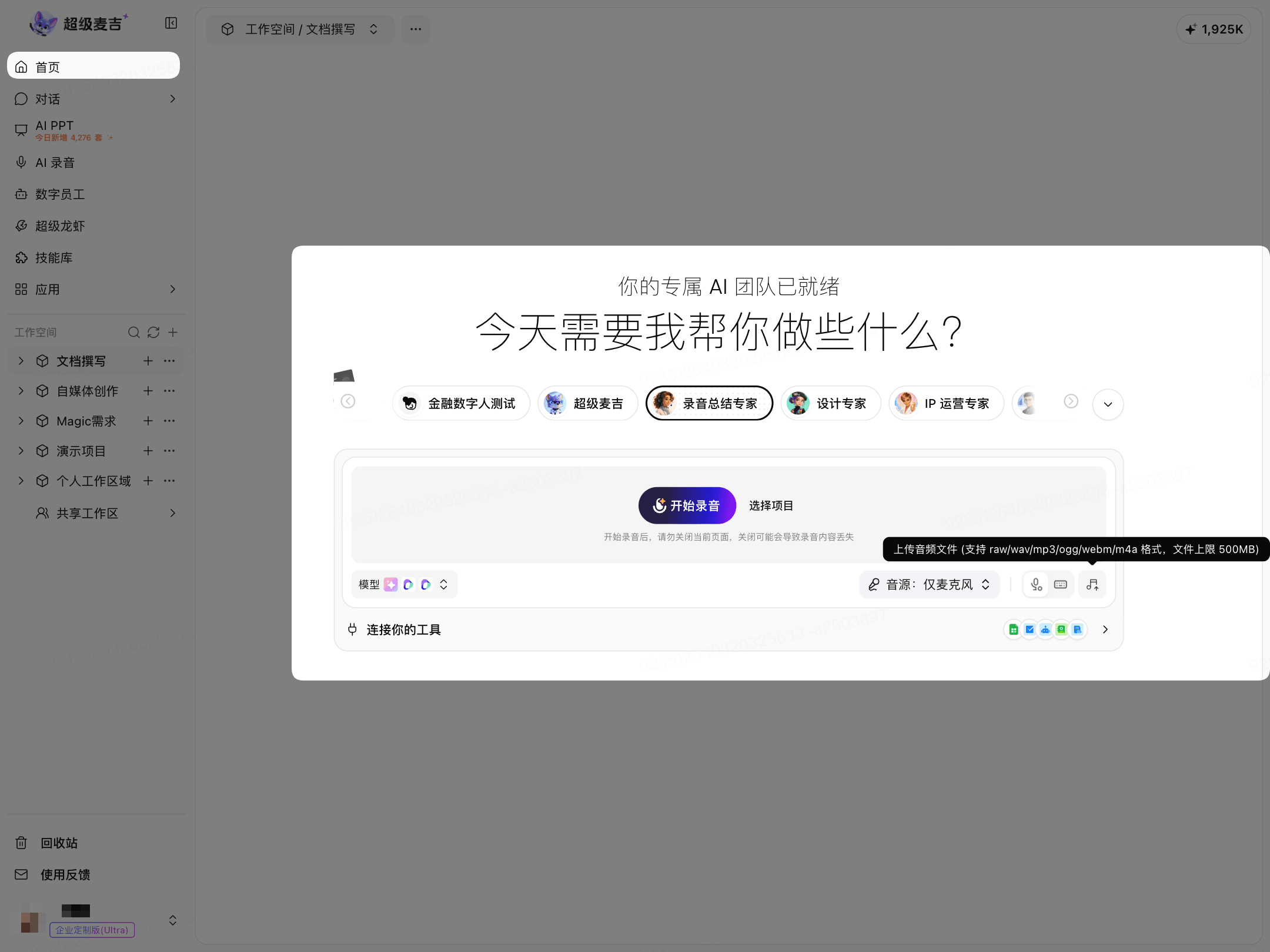
Import from the Home Page
Go to Home.
Select Recording Summary Expert.
Click the Upload Audio icon on the right side of the input area.
Select an audio file.
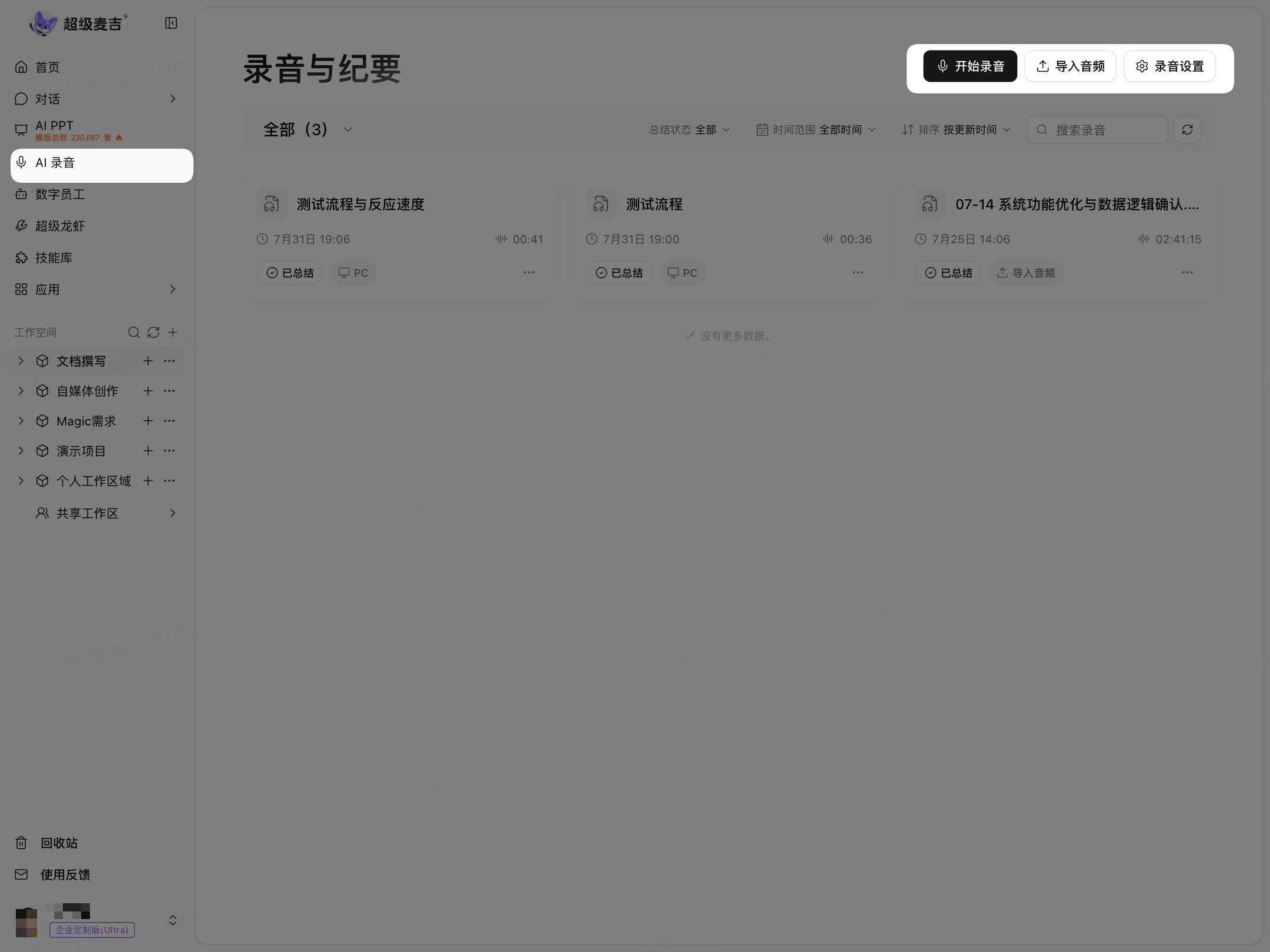
Import from AI Recording
Click AI Recording on the left.
Click Import Audio in the upper-right corner.
Select an audio file.
Import from a Project
Open the target project.
Select Recording Summary Expert.
Click the Upload Audio icon on the right side of the input area.
Select an audio file.
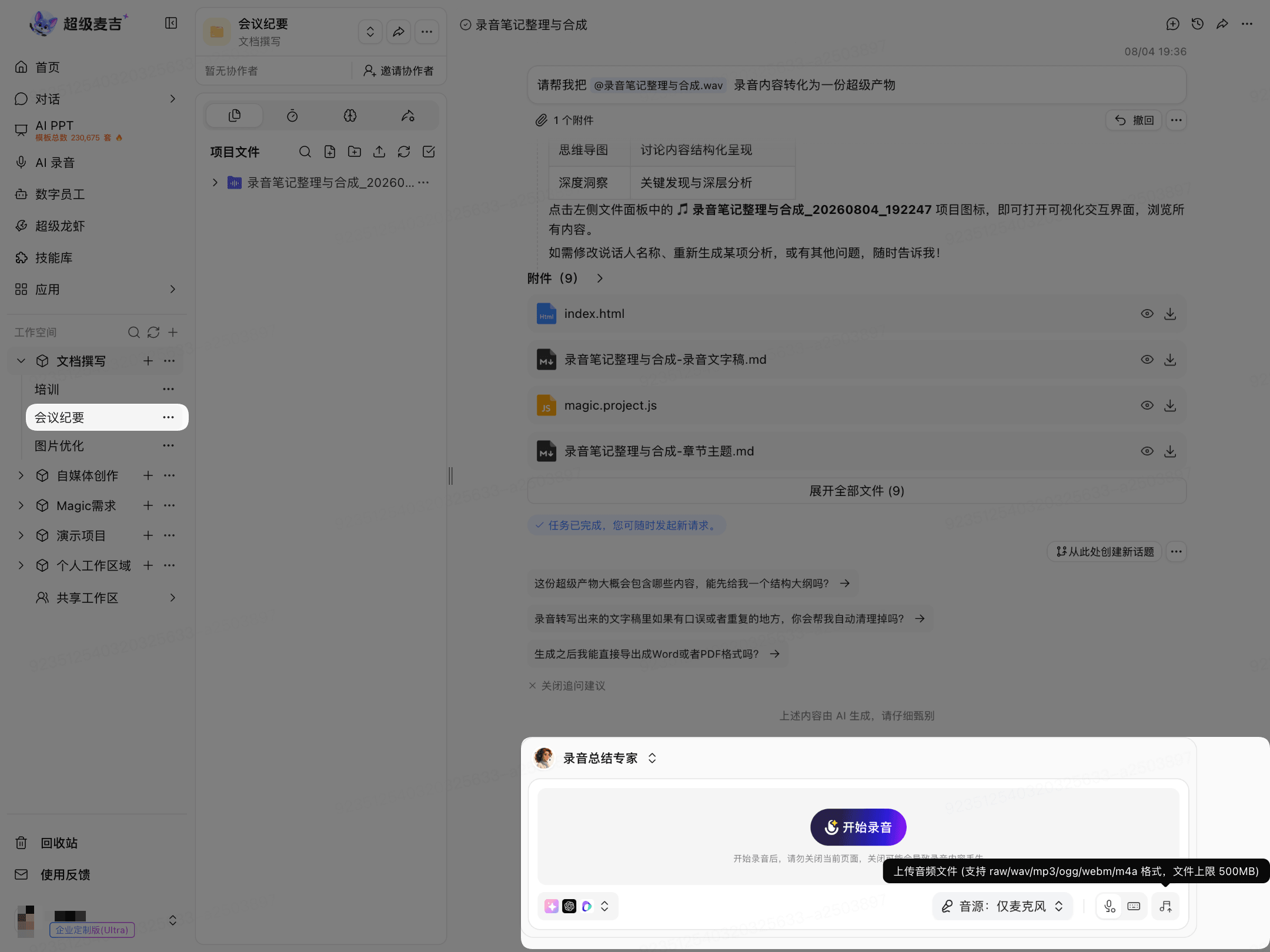
Audio imported within a project belongs to the current project.