
Manage My Recordings
Find, view, and manage processed recordings in AI Recordings.
Updated: 2026-09-02View LLM Markdown
Find, view, and manage processed recordings in AI Recordings.
View the Recording List
Click AI Recordings on the left.
You can filter or sort recordings by summary status, date range, and update time, or search for recordings.
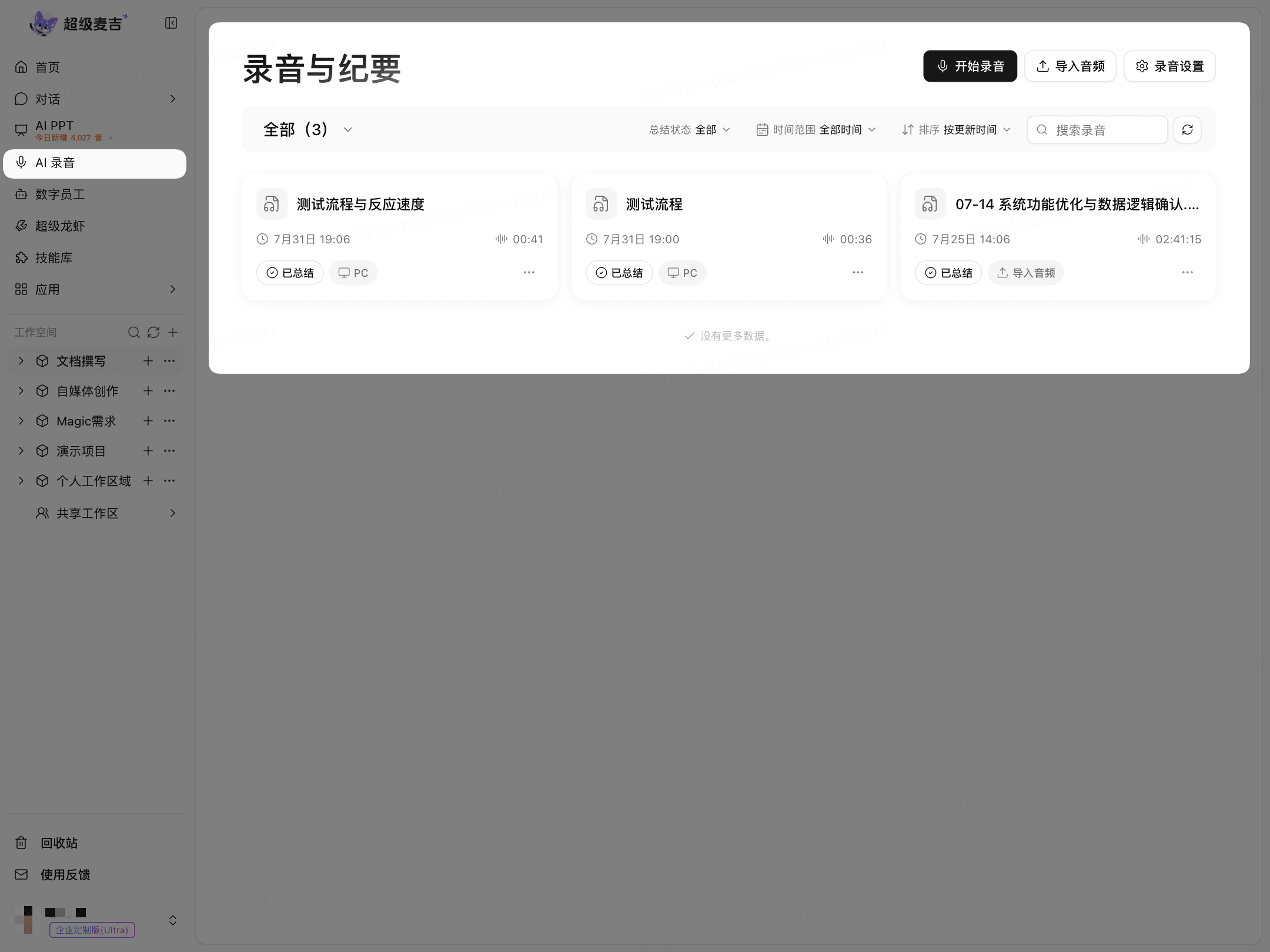
Click a recording card to open its details.
View Transcriptions and Summaries
The transcription and speakers are displayed on the left side of the details page.
On the right, you can view meeting notes, chapter topics, deep insights, mind maps, and action items.
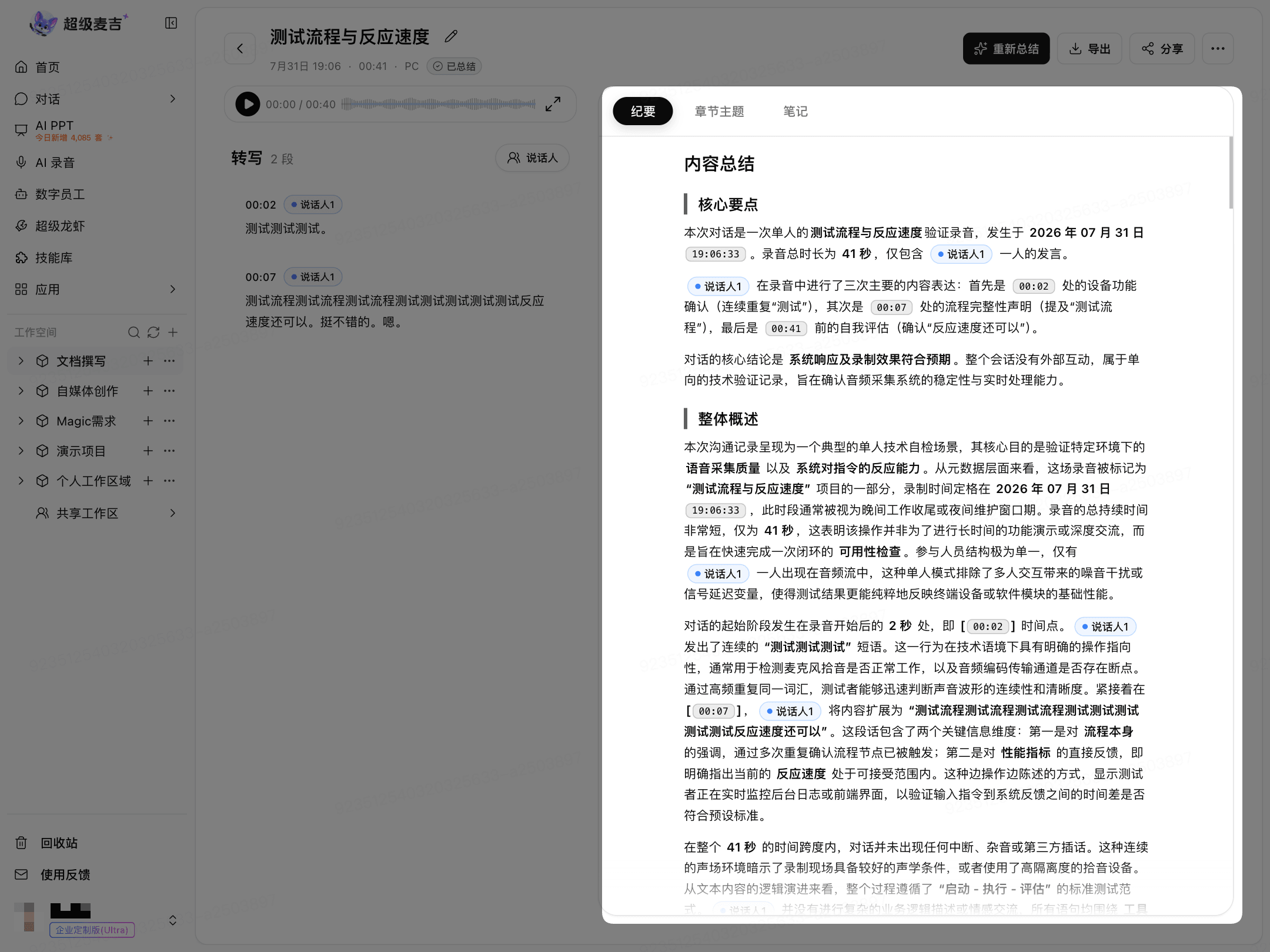
Resummarize or Manage Recordings
Click Resummarize to generate a new summary.
Click More (…) and follow the on-page instructions to move the recording to a group, copy it to a project, or delete it.
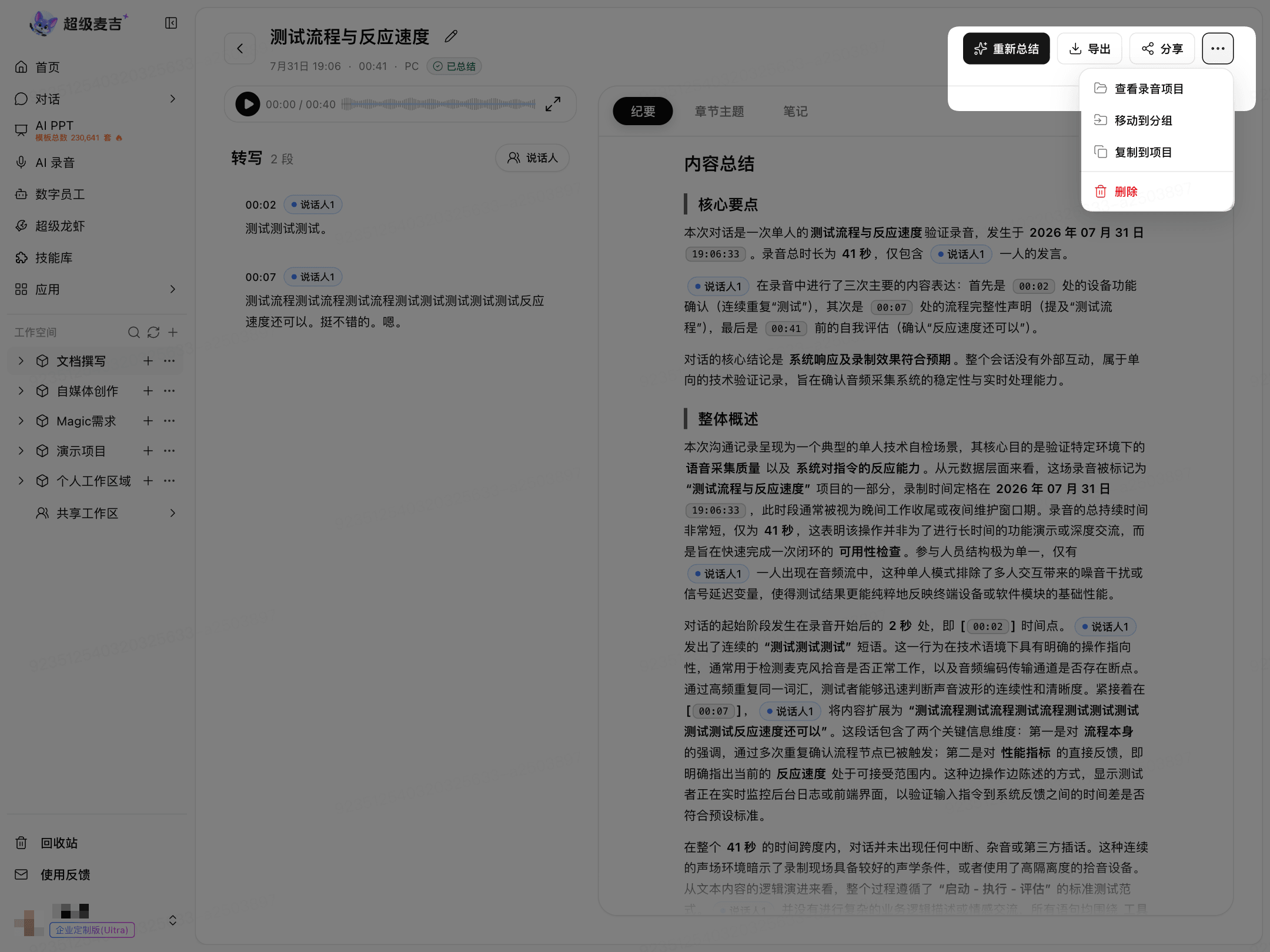
Before deleting, confirm that you no longer need to keep the recording or summary.