
Add a Knowledge Base to a Digital Crew
Create or select a knowledge base on the Digital Crew configuration page, add resources, and check the retrieval results after import.
On the Digital Crew configuration page, create or select a Knowledge Base, add resources, and check the Retrieval Results after import.
Open Knowledge Base Settings
In the left navigation bar, click Digital Crew.
Click My Crew.
Find the target crew and click Edit.
On the configuration page, open Knowledge Base.
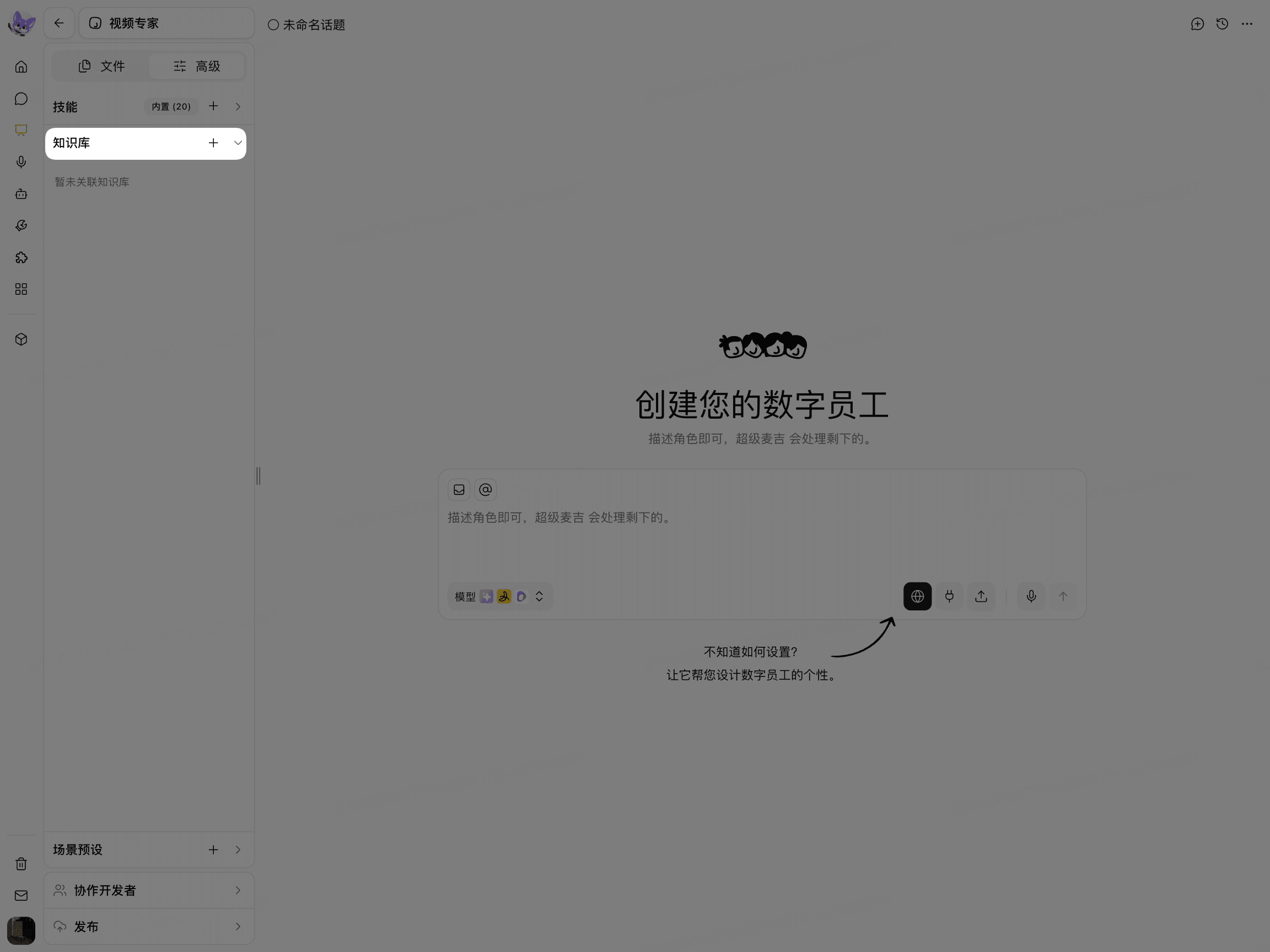
Create or Select a Knowledge Base
Click Create Knowledge Base.
Enter the Knowledge Base Name and Description.
Select the Creation Method.
Click Confirm.
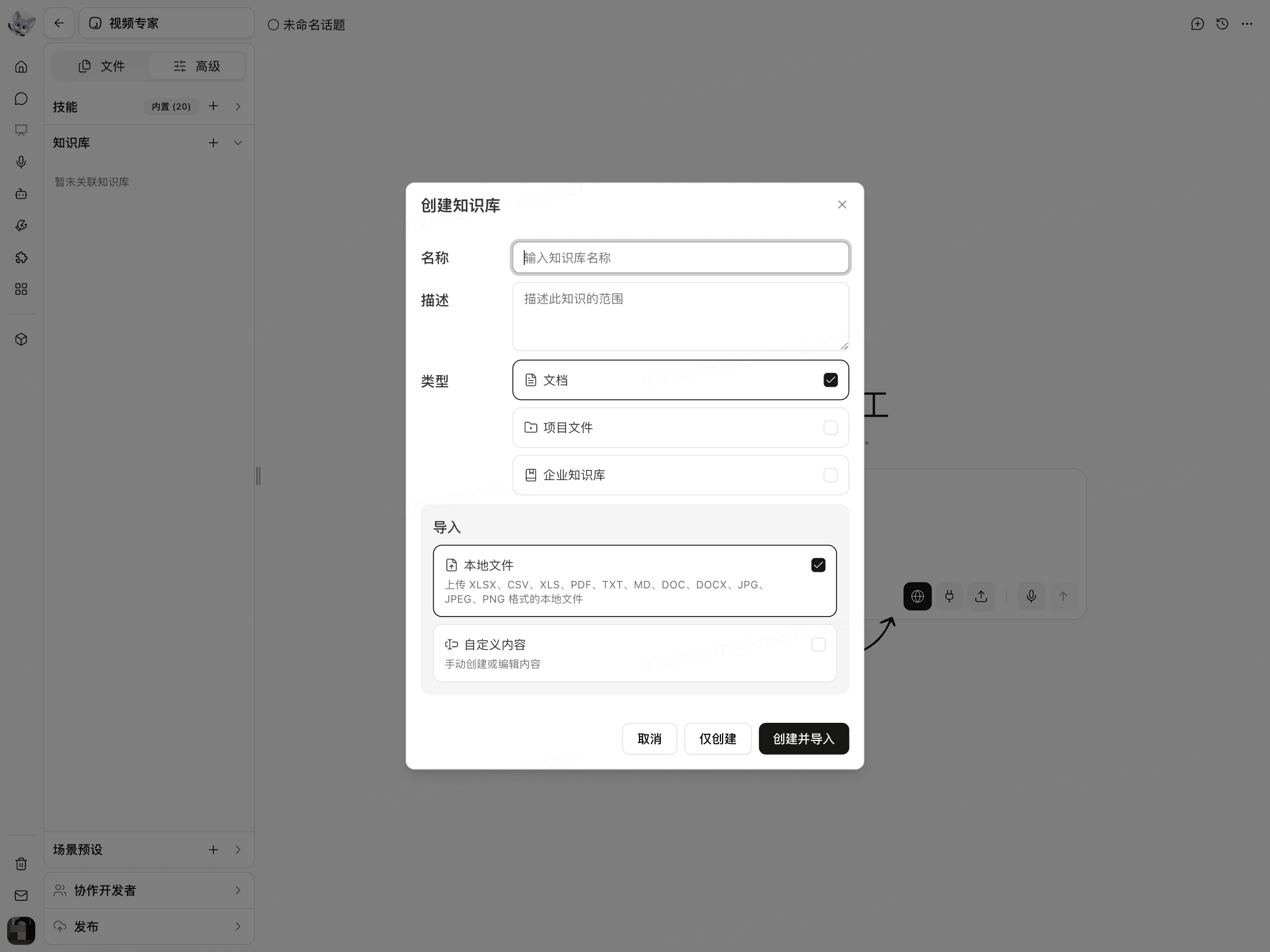
The available Knowledge Base Types and Data Sources depend on the options provided on the current page.
Add Content to the Knowledge Base
Resource location | Selection method |
|---|---|
Resources on your computer or custom content | Select Local Files or enter content. |
Project resources currently accessible to you | Select Project Files. |
Resources configured on the enterprise side | Select Enterprise Knowledge Base. |
When selecting Project Files:
Open the Project Files selection entry.
Select the files to import.
Confirm the files and submit the import.
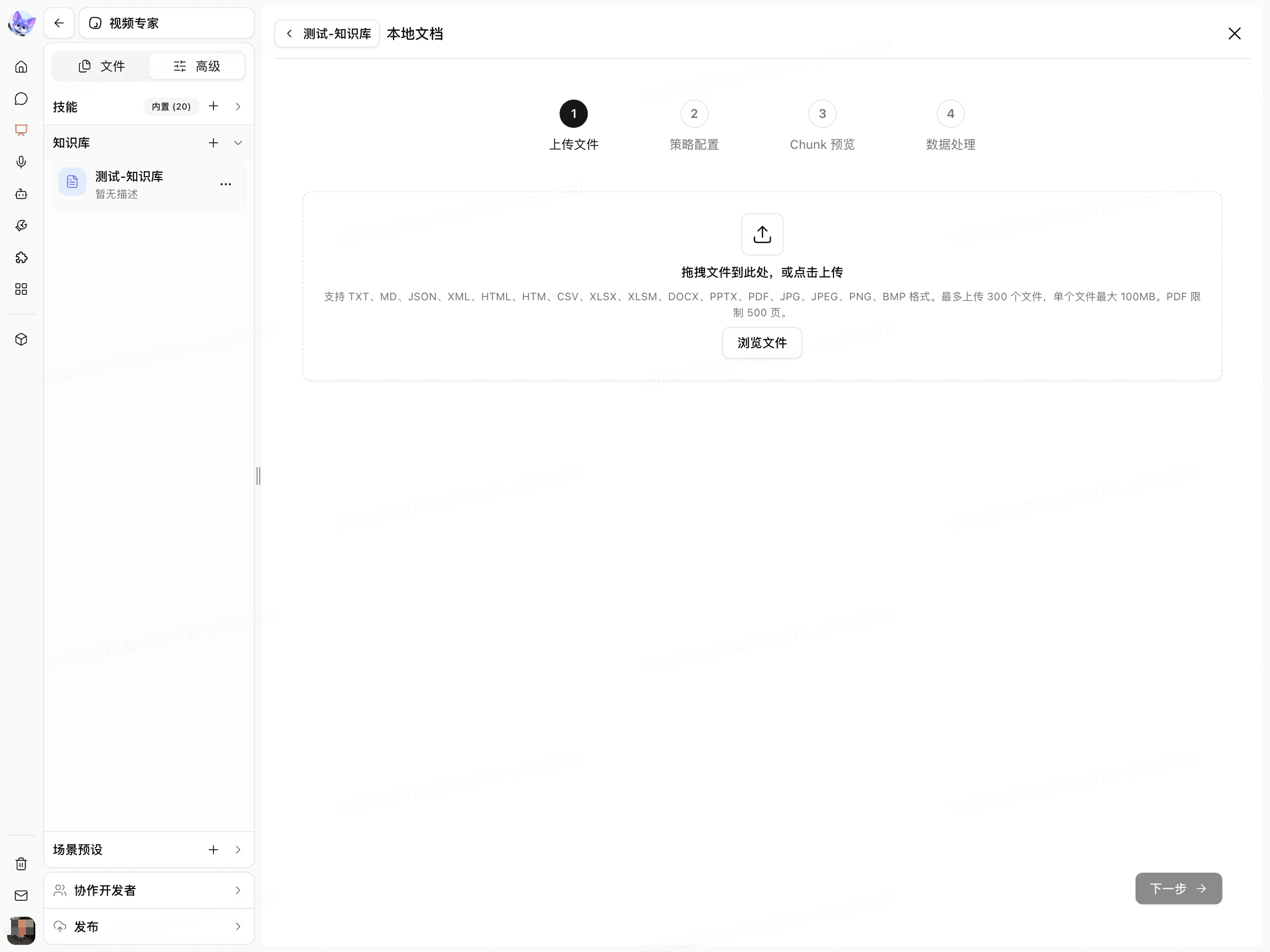
When selecting Enterprise Knowledge Base, the current account must have the corresponding access permissions.
Configure Document Processing
Open Document Processing Settings.
Select Fast Parsing or Accurate Parsing.
Select Automatic Chunking and Cleanup, Custom Chunking, or Hierarchical Chunking.
Review the processing instructions displayed on the page.
Click Next.
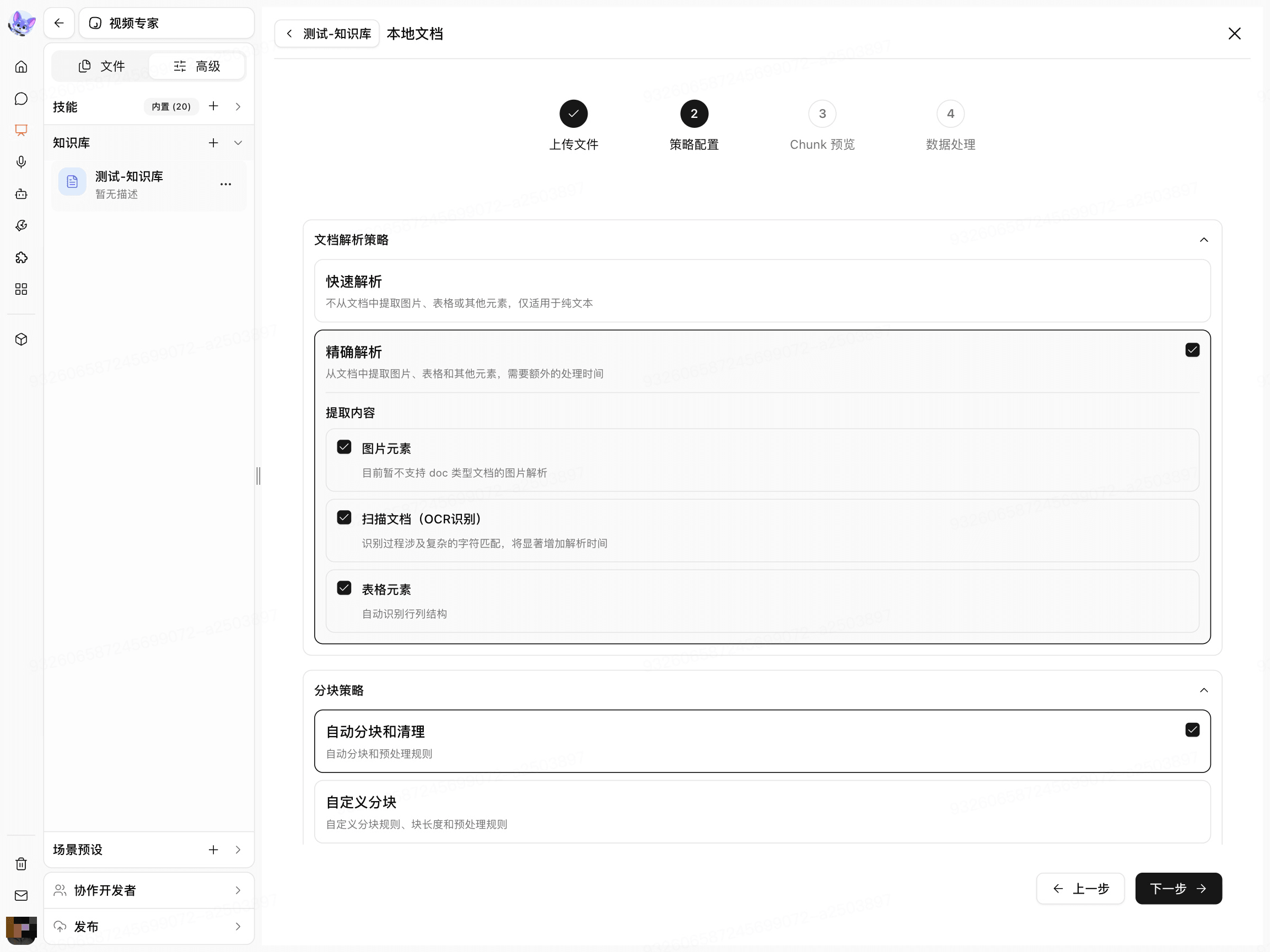
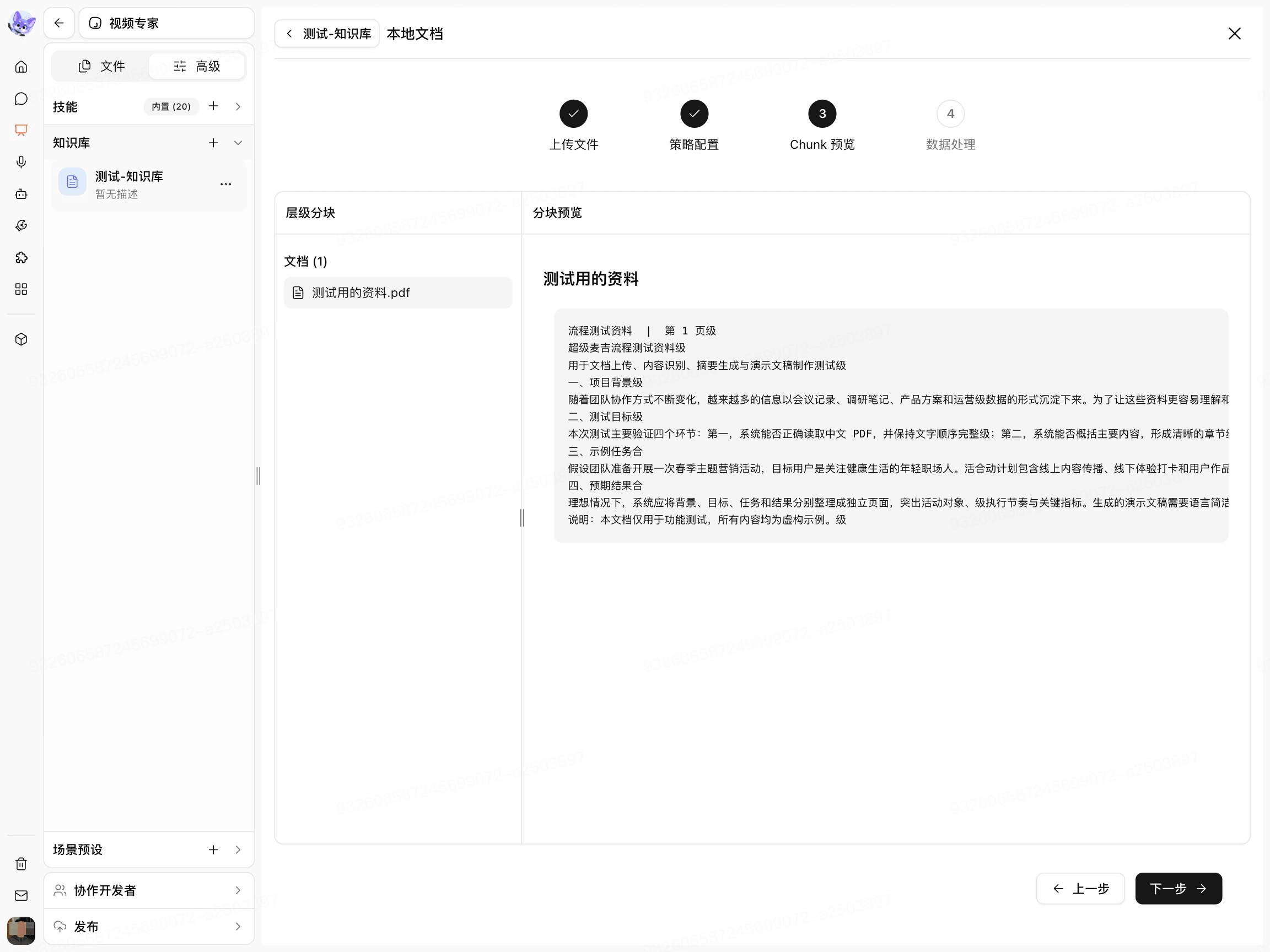
The page opens Data Processing and begins processing the selected files.
View and Test the Import Results
View the File List and Processing Status.
Wait for the files to finish processing.
Click Done.
Confirm that the documents appear in the Knowledge Base List.

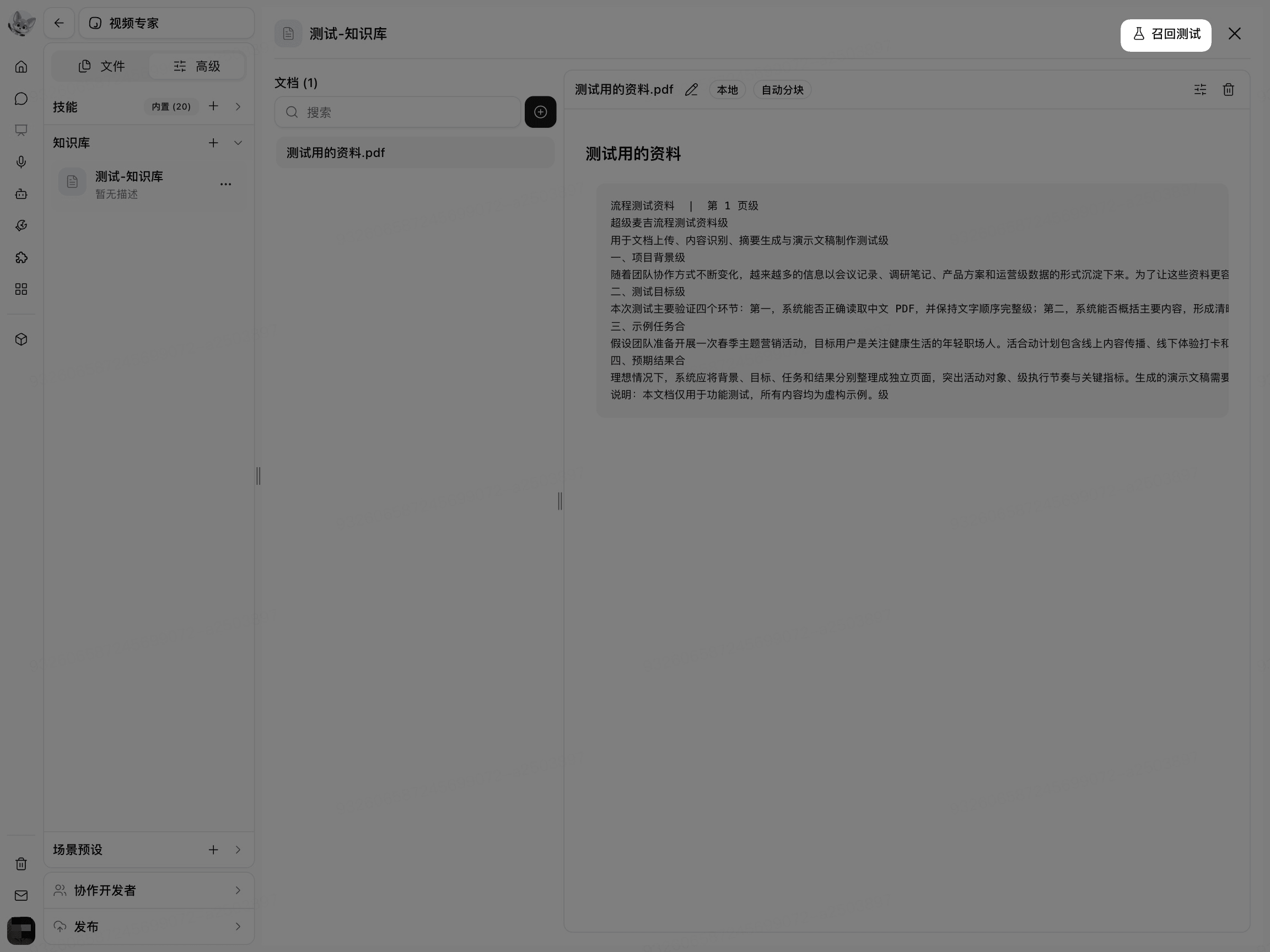
Click Retrieval Test.
In Source Text, enter a question or keyword that actually exists in the resources.
Click Test.
Check whether the returned content comes from the expected documents.
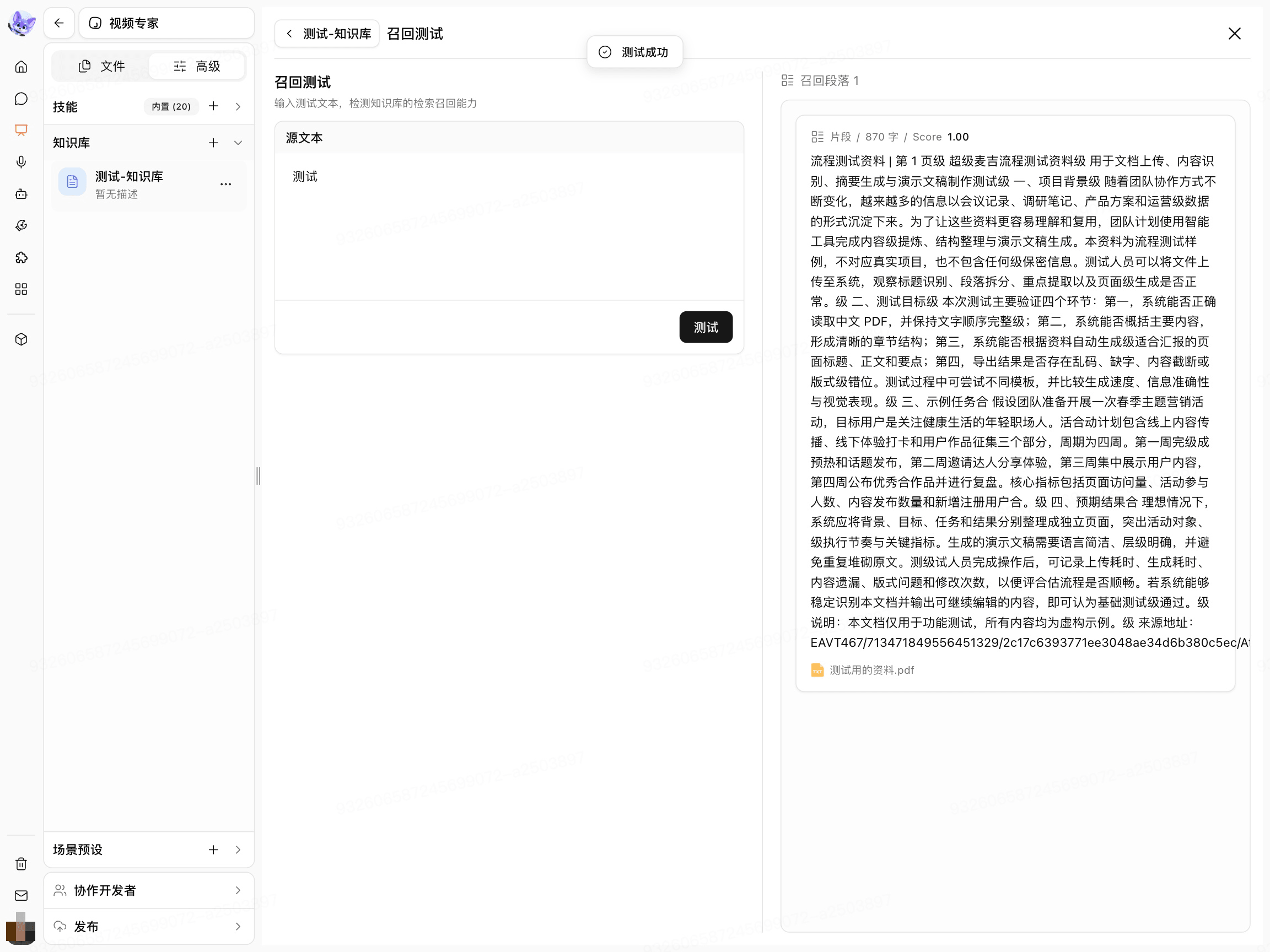
If no useful content is returned, first confirm that the files have finished processing, then check whether the Parsing Method and Chunking Method are suitable for the resources.