
Enterprise Skill Management
Query and process skill publishing requests for the current enterprise in the admin console. Verify the skill package, version, and publishing scope before approving or rejecting the request.
Query and process skill publishing requests for the current enterprise in the admin console. Verify the skill package, version, and publishing scope before approving or rejecting the request.
Before you start
Log in to SuperMagic and open the admin console for the enterprise you need to manage.
Confirm that the current account has permission to review publishing requests for internal employees and skills under AI Management.
Prepare the skill name, package name, version number, or creation time range you need to query.
Before reviewing a request, confirm the skill description, requested version, and publishing scope.
Before clicking Approve or Reject, verify the skill request being processed one more time.
This page manages skill publishing requests for the current enterprise. The skill name, package name, version, publishing status, and review status are based on the actual records in the review list.
Open the Skill Publishing Review page
In the admin console, click AI Management at the top.
Expand Internal Employees and Skills in the left navigation.
Click Skill Publishing Review.
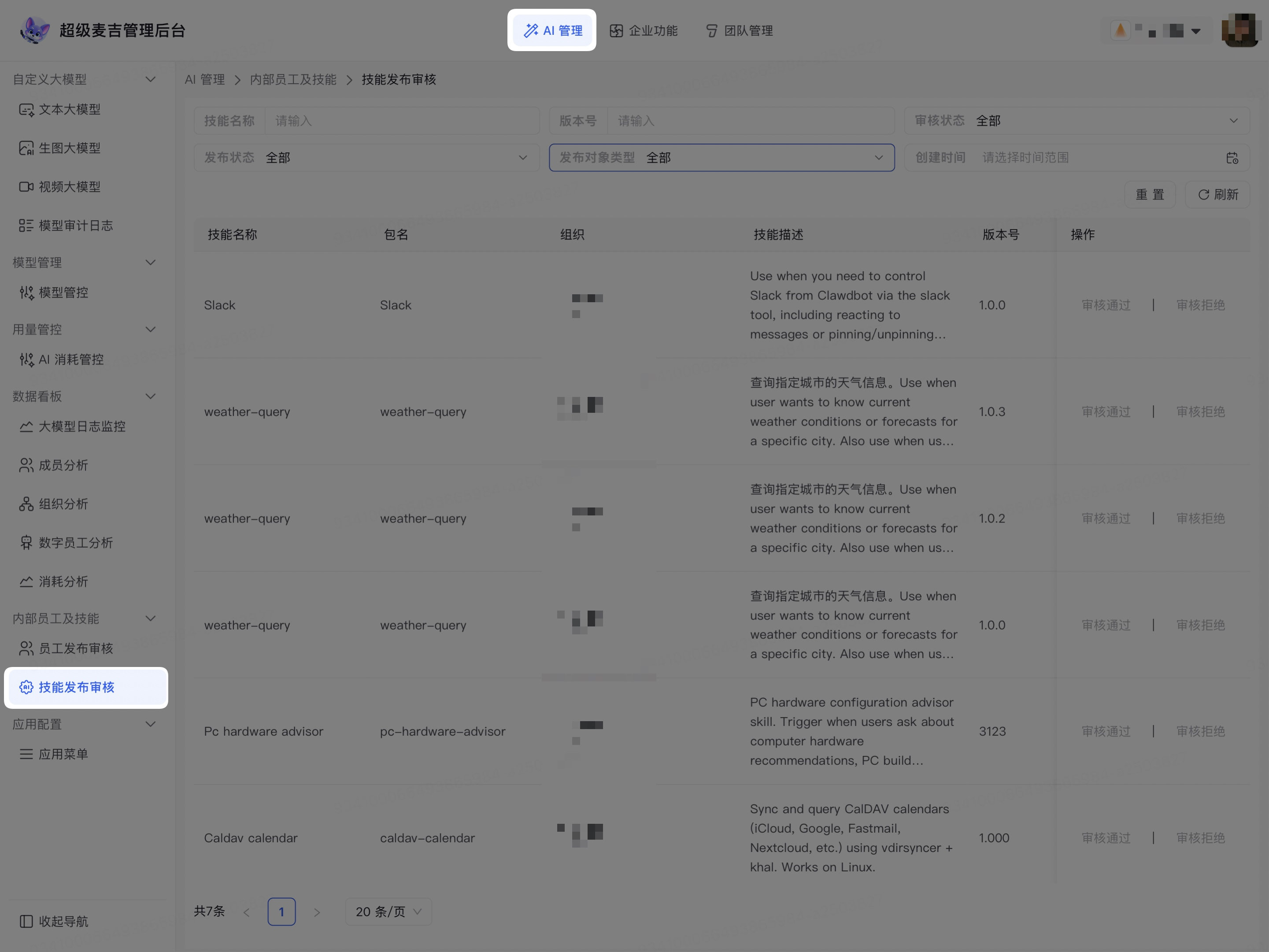
The page displays skill publishing requests for the current enterprise, filter conditions, Reset, Refresh, and review actions.
Filter skill publishing requests
Enter the name you need to query in Skill Name.
Enter the requested version in Version.
Select Review Status as needed.
Select Publishing Status as needed.
In Publishing Target Type, select organization or member.
Set the creation time range for the request.
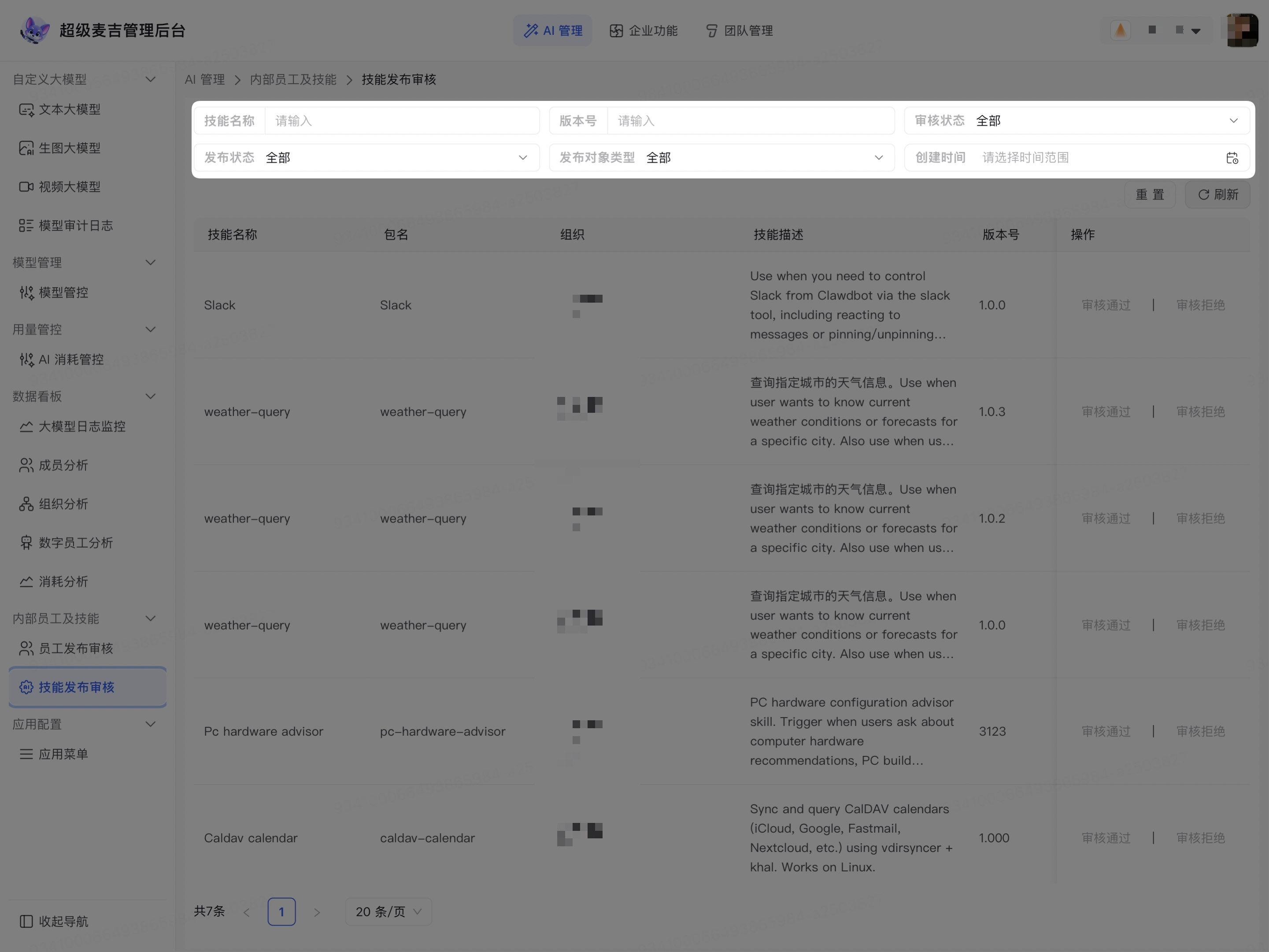
The list displays requests that match the conditions. Click Reset to clear the filter conditions, or click Refresh to reload the current list.
Verify publishing requests
Before processing a request, check the following information in the list:
Skill name and package name;
Organization and skill description;
Requested version number;
Publishing Status, Publishing Target Type, and Review Status;
Publisher and creation time.
A skill may have multiple requests for different versions. Before processing a request, verify the skill name, package name, and version number together to avoid reviewing the wrong record.
Process publishing requests
Find the record that needs to be processed in the request list.
Confirm that the skill name, package name, description, and version are correct.
If publishing is allowed, click Approve in the corresponding row.
If publishing is not allowed, click Reject in the corresponding row.
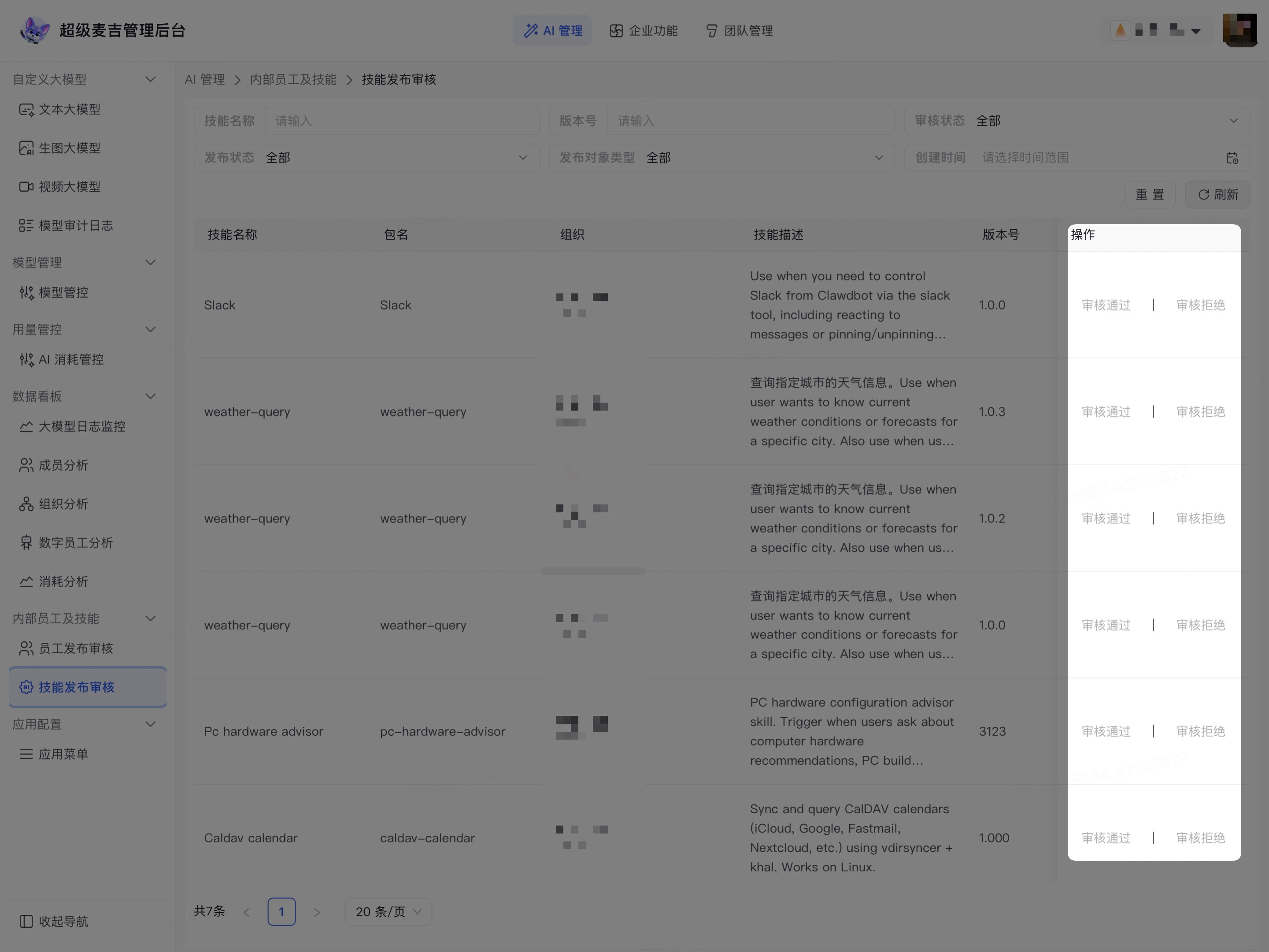
The review status and publishing status of the request are updated based on the results displayed on the page. For records that have already been reviewed, the review actions may appear grayed out.
Confirm the review result
After processing the request, check the following:
Check whether the request's Review Status has been updated.
Check whether the Publishing Status meets expectations.
Query again using the same skill name, package name, or version number.
If the page does not update promptly, click Refresh.
Confirm that records that have already been reviewed no longer display executable review actions.
Review status indicates whether the request has passed review, while publishing status indicates whether the corresponding version has been published. After approving a request, use the publishing status displayed in the list to determine the final result.