Manage My Projects
Create, pin, move, delete, and restore projects in a workspace.
Create, pin, move, delete, and restore projects in a workspace.
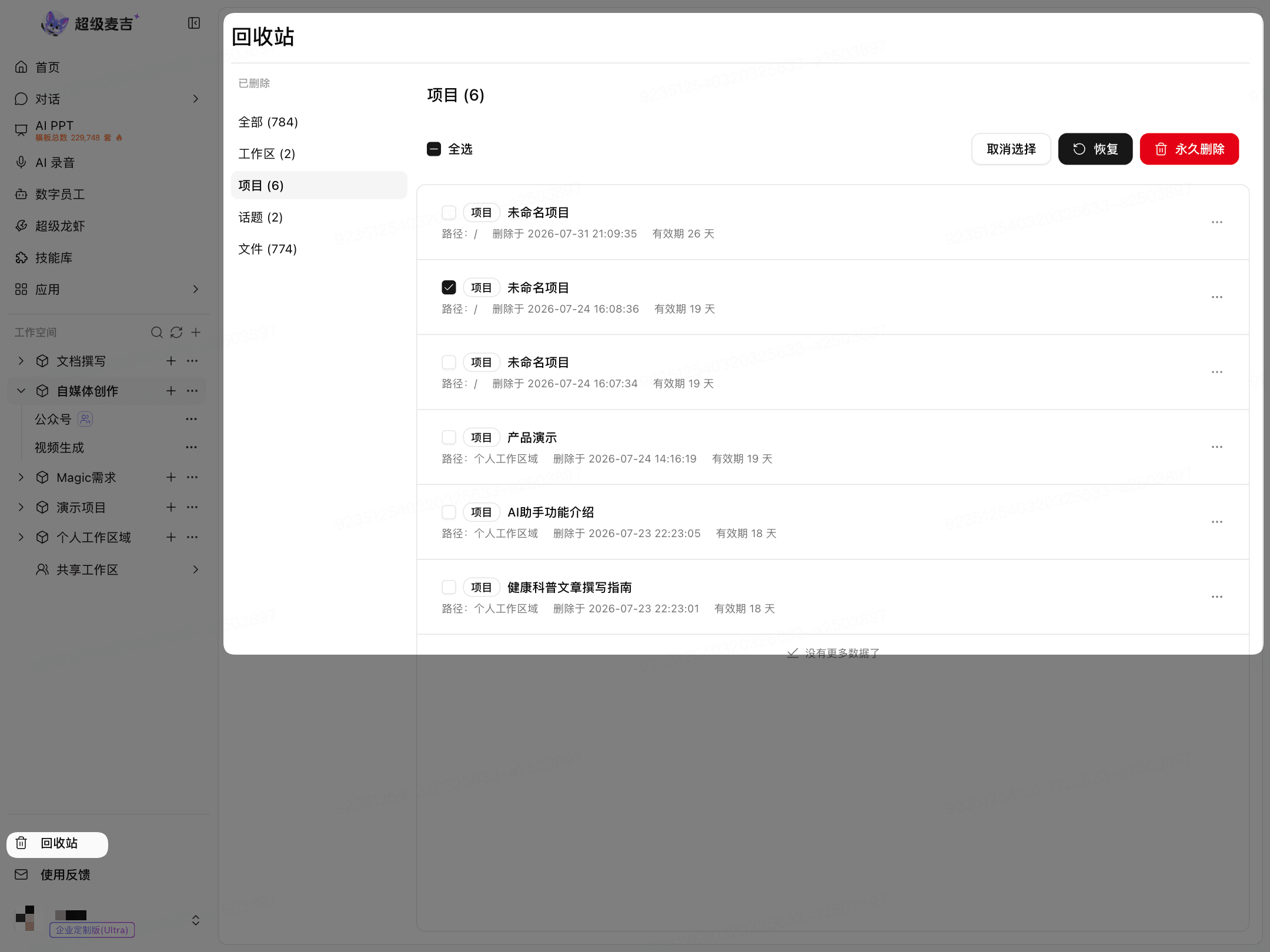
Create a Project
Find the target workspace on the left.
Click Add (+) to the right of the workspace.
Enter a project name.
Click Confirm (✓).
Pin a Project
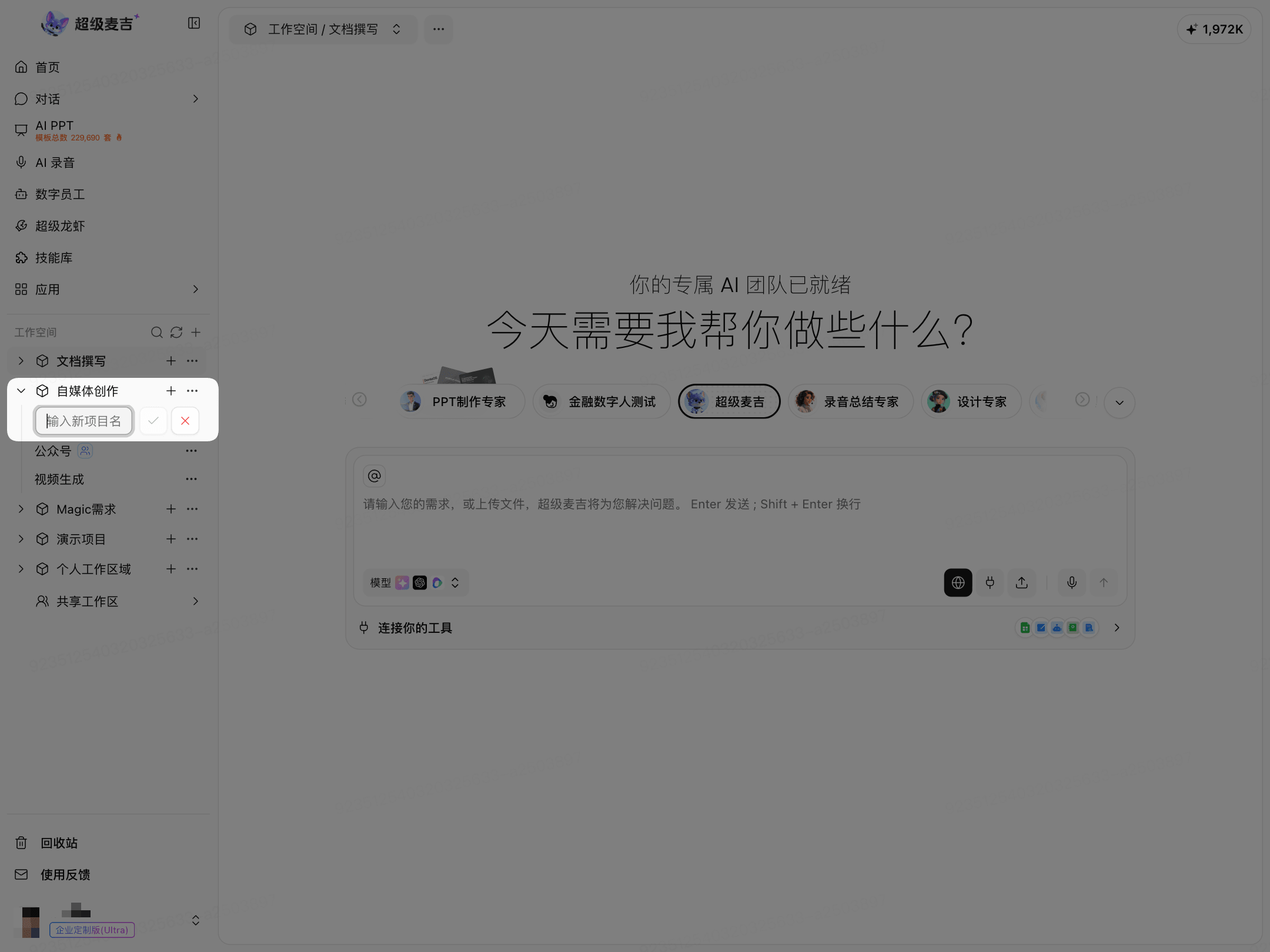
Click More (…) to the right of the project.
Select Pin to top.
After you pin it, the project appears at the top of the workspace list.
Move a Project
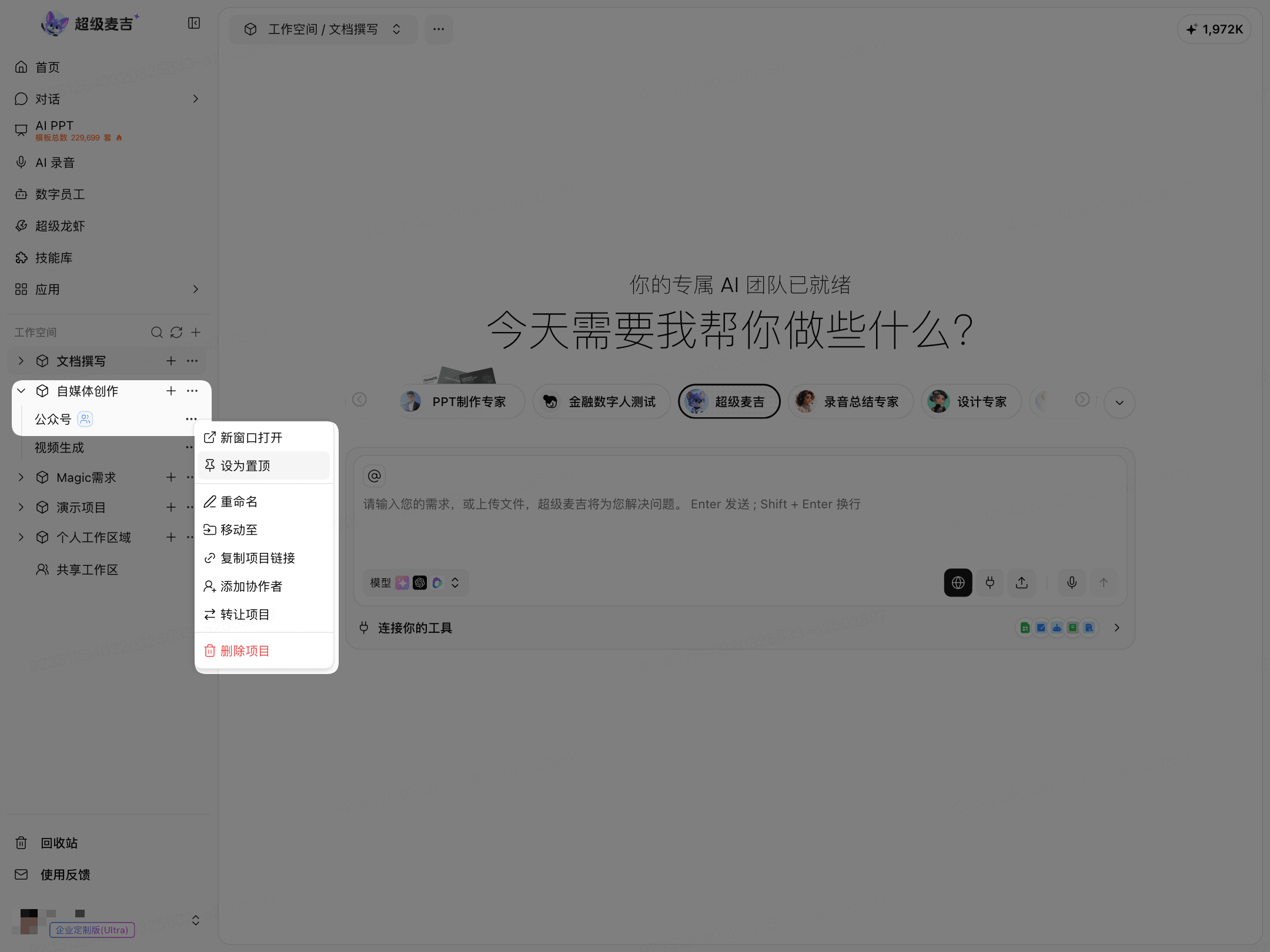
Click More (…) to the right of the project.
Select Move to.
Select the target workspace.
Follow the on-screen instructions to complete the move.
Moving a project does not create a copy. The project is added to the new workspace.
Delete and Restore a Project
Delete a Project
Click More (…) to the right of the project.
Select Delete project.
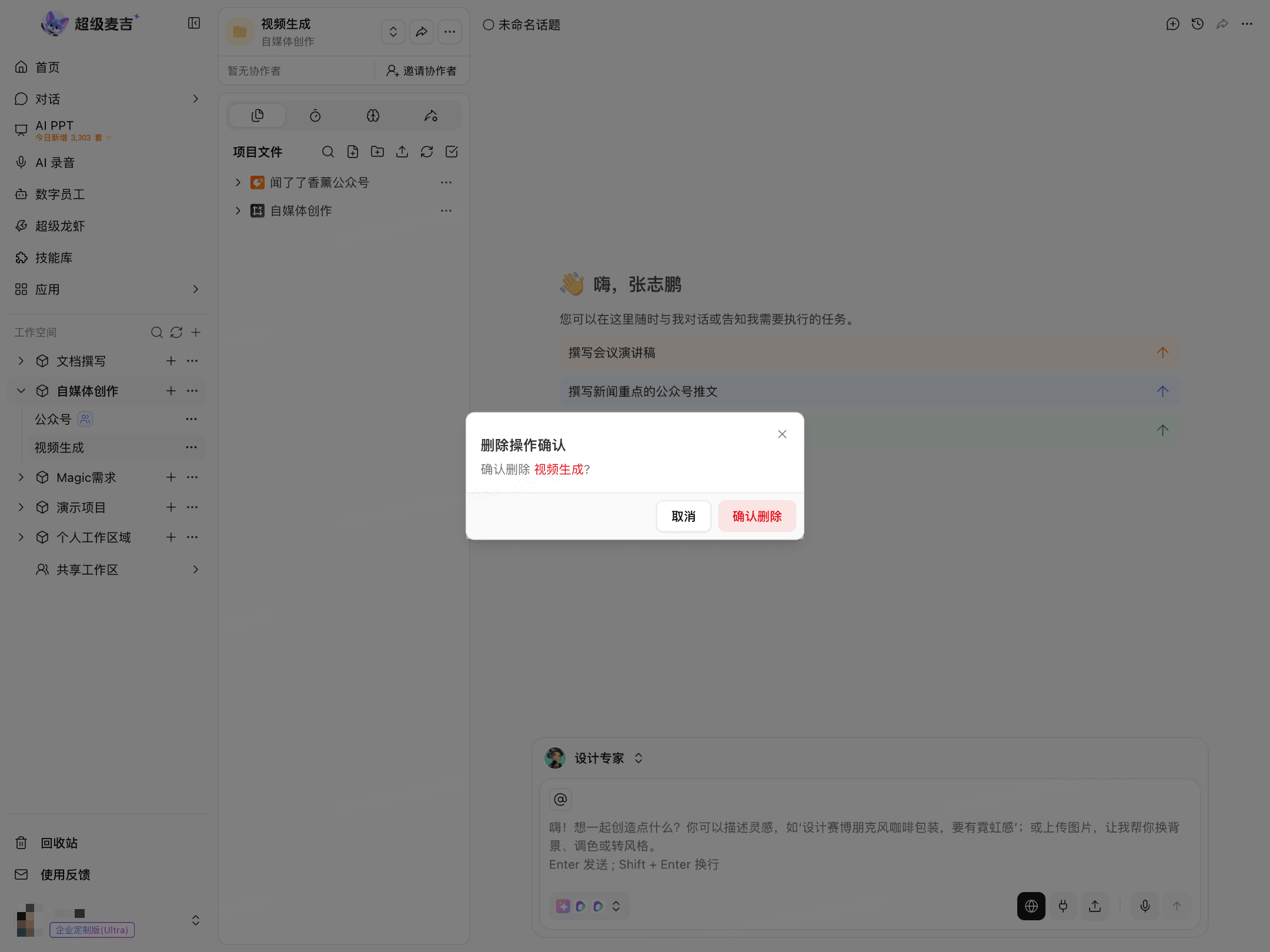
Click Confirm deletion in the confirmation window.
Restore a Project
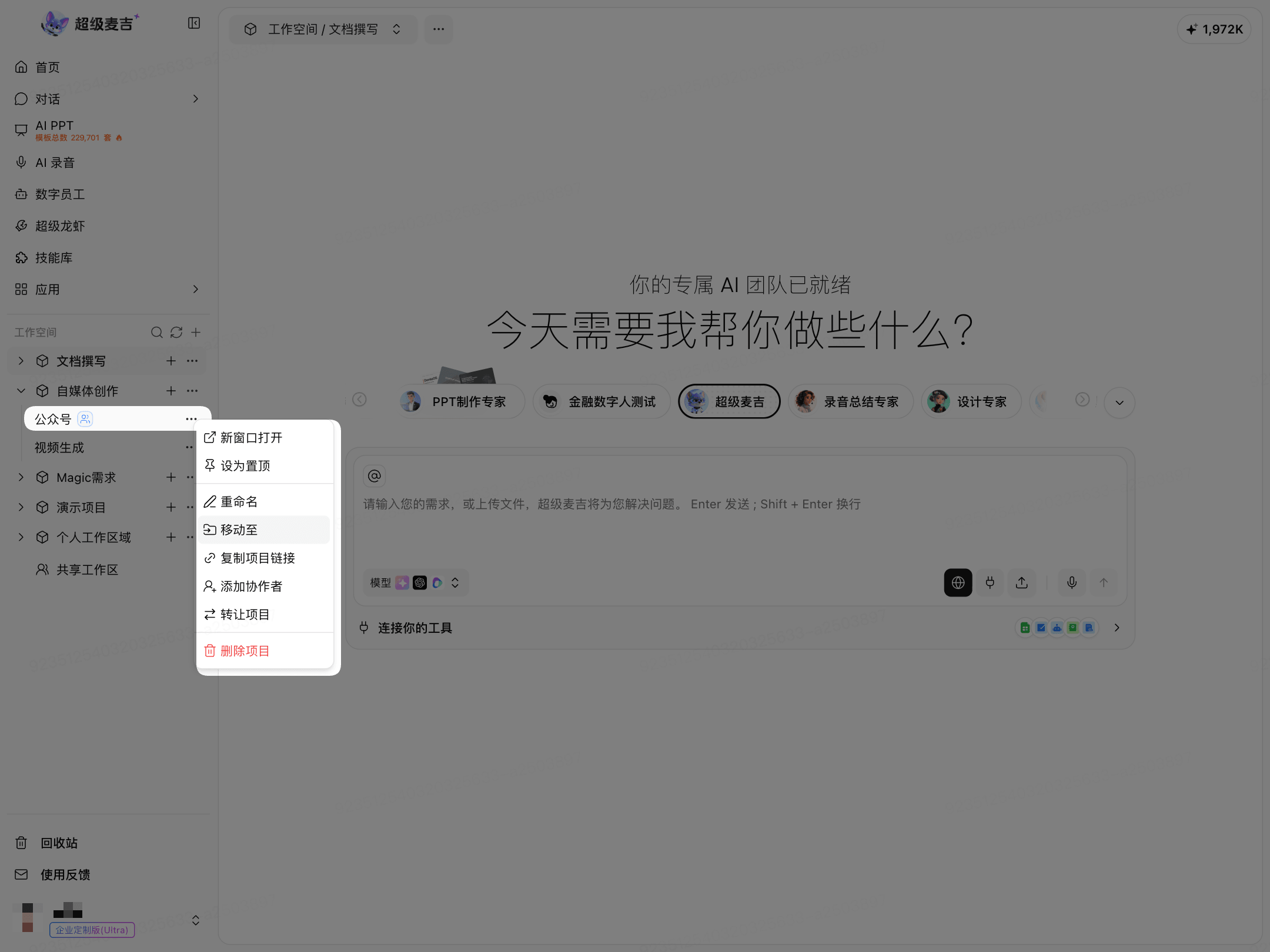
Click Trash in the lower-left corner.
Switch to the Projects category on the left.
Select the project and click Restore.
The screenshot example currently shows the Workspaces category. When restoring a project, switch to the Projects category.